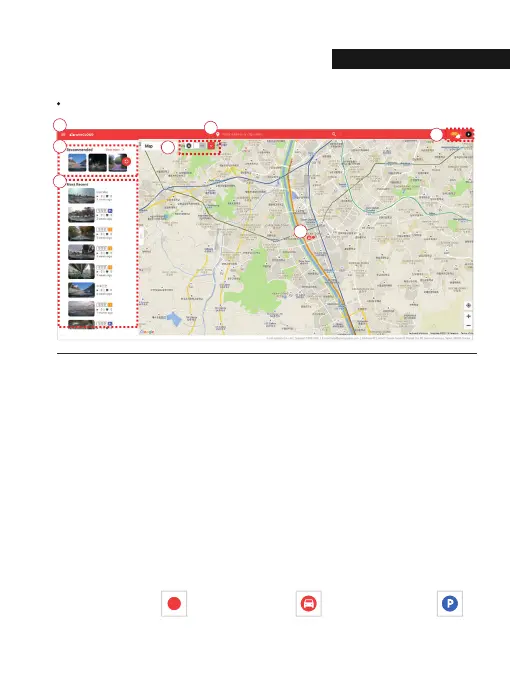
Main (PC)
ˠ Recommended : The video is recommended in the order of high views and likes.
Press 'View More' to go to the recommended video page.
˝ Menu button
˞ Location search(Enter City or Address) : The map moves to the area you searched for.
˟ Event alarm : It is displayed when an event occurs, and when you press an event on the list,
the video is played.
User icon : You can select Channel / Settings / Logout
ˡ Recent videos : The latest shared video will be displayed based on the location.
ˢ Show only my vehicle : my vehicle only on the map switching ON/ OFF button.
Quick menu(My vehicle) : Run basic menus right away without finding a vehicle on the map.
(If there are multiple vehicles, this is the most recently accessed vehicle.)
ˣ Vehicle icon
Other user ‘s vehicle My vehicle(Driving) My vehicle(Parking)
04. withCLOUD
HOW TO USE
34



 To Next Page