11
6. HOW TO USE
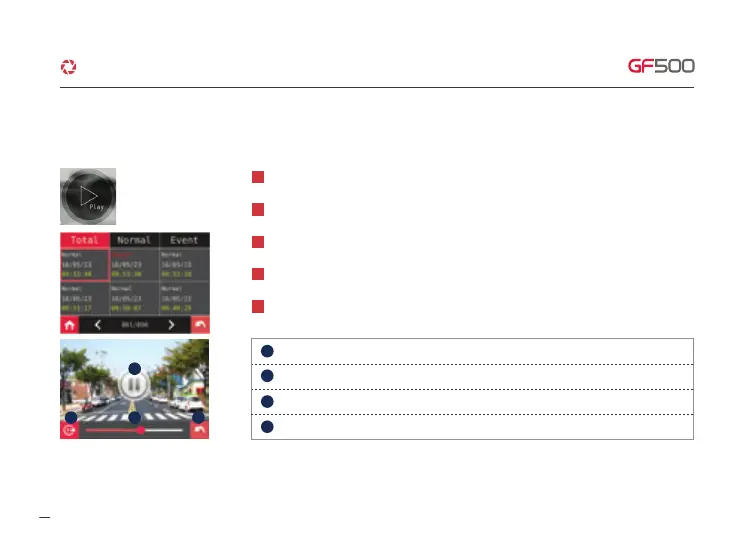
Organize video type list (Normal and Event) by touching top tab.
2
Touch one of the recorded video files, the video will be played.
3
Once touch left and right arrow, it moves to the next video list page or previous video list page.
4
When touch play list, Dash cam shows you the recorded video as left picture.
5
Playback bar.
Back to a list of recorded video files.
Play & Pause.
When touch the play button, recorded video list is shown.
1
1. Video play
1
32
4
1
3
4
2
·How to use LCD - SETUP
Change video view (Front & Rear).
G-Net system DASH CAM



 To Next Page