20
6. HOW TO USE
·How to use LCD - SETUP - System
After saving Memory setting, all recorded videos in
SD card will be deleted.
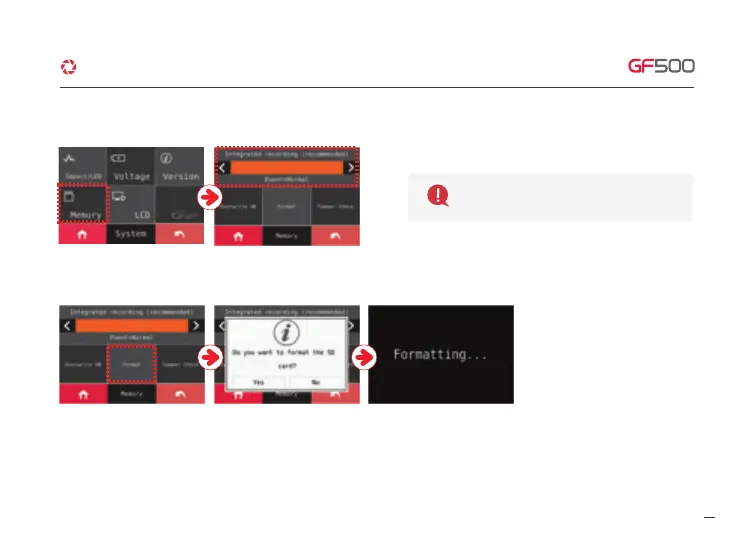
③ Memory – Adjust storage ratio of Event and Normal recording.
※ FORMAT
The format function will be activated
when you touch “Format” button.
And then, the system will be rebooted
once the format is done.
G-Net system DASH CAM



 To Next Page