NOTE:
The Dual-Deck VCR may miss an Index
mark if the mark is very close to @e
current location, or it is at the beginning
of t,be tape, or if it is within 5 minutes
of anot,ber V/SS mark.
Youcan also place Index marks during
a recording bypressing INDEX.
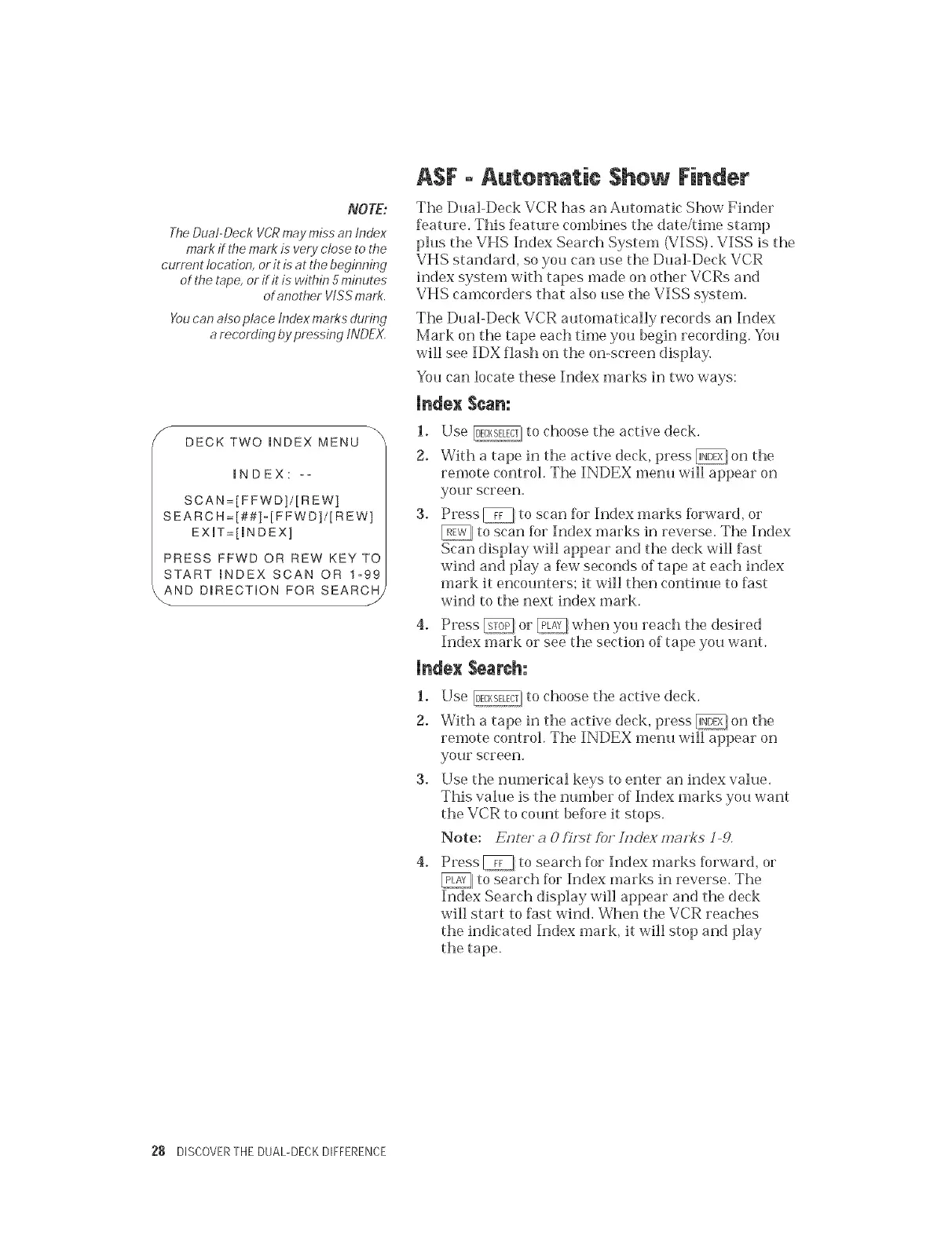
Y DECK TWO _NDEX MENU
INDEX: --
SCAN=[FFWD]/[REW]
SEARC H=[##]-[F FWD]/[R EW]
EXUT=[mNDEX]
PRESS FFWD OR REW KEY TO
START mNDEX SCAN OR 1-99
_AND D_RECTION FOR SEARCH/
ASF - Automatic $hew Finder
The Dual-Deck VCR has an Automatic Show Finder
feature. This feature combines the date/time stamp
plus tile VHS Index Search System (VISS). VISS is tile
VHS standard, so you can use tile Dual-Deck VCR
index system with tapes made on other VCRs and
VHS camcorders that also use the VISS system,
Tile Du al-Deck VCR automatically records an Index
Mark on tile tape each time you begin recording. You
will see IDX flash on the on-screen display,
You ('an locate these Index marks in two ways:
Index Scan:
1. Use _] to choose the active deck.
2. With a tape in the active deck, press _ on the
remote control. The INDEX menu will appear on
yollr screen,
3. Press _ to scan %r Index marks %rward, or
_[ to scan %r Index marks in reverse. Tile Index
Scan display will appear and the deck will fast
wind and play a few seconds of tape at each index
mark it encounters; it will then continue to fast
wind to tile next index mark.
4,
Press _ or _ when you reach tile desired
Index mark or see the section of tape you want.
Index Search:
1. Use _, to choose tile active deck.
2. With a tape in tile active deck, press @, on tile
remote control. Tile INDEX menu will appear on
your screen.
3° Use tile numerical keys to enter an index value.
This value is the number of Index marks you want
the VCR to count before it stops.
Note: E(Jte/ a 0 fi(tst ?bf/Hclex maF!(s ] 9,
4,
Press _J to search for Index marks forward, or
to search for Index marks in reverse. The
Index Search display will appear and tile deck
will start to fast wind, When tile VCR reaches
tile indicated Index mark, it will stop and play
tile tape.
28 DISCOVERTHE DUAL-DECKDIFFERENCE


 To Next Page
 Loading...