EasyManua.ls Logo

GOAL ZERO Torch 500 - User Manual

GOAL ZERO Torch 500
10 pages
Print Icon
To Next Page IconTo Next Page
Loading...
1
USB Port
Question and Answer IconNeed help?

Do you have a question about the GOAL ZERO Torch 500 and is the answer not in the manual?

Summary

Getting to Know Your Gear

Built-in Solar Panel Charging

Charge up the Torch in 23 Hrs (full sun). Add additional solar panels for quicker charge time.

300 Lumens Floodlight

Provides bright illumination, with charging details provided.

300 Lumens Spotlight

Provides focused illumination, with charging details provided.

Charging Methods Overview

Device can be charged via USB ports or solar energy.

Integrated Metal Hanger

Features an integrated metal hanger for versatile positioning and use.

Input and Output Ports

Includes USB-C input and USB-A output ports for charging and power delivery.

Light Controls

Controls for operating the spotlight and floodlight functions.

LED Battery Indicator

Indicates battery status, flashing when the device is charging.

How the Torch Works

Adjusting Light Settings

Floodlight and Spotlight operate with three settings: high, medium, and low.

Vehicle Heat Warning

Do not leave the Torch in a vehicle in hot sun to prevent product damage.

Frequently Asked Questions

Verifying Solar Panel Functionality

User query about verifying solar panel functionality and best charging practices.

Technical Specifications

Charge Times

Details on charging times via different sources like Nomad 10, built-in solar, and USB.

Runtime Performance

Specifies runtimes for spotlight and floodlight across low, medium, and high power settings.

Battery Details

Information on cell chemistry, capacity, lifecycles, shelf-life, and management system.

Light Output

Details the lumen output for both the spot light and flood light.

Solar Panel Specifications

Provides rated power and cell type for the built-in solar panel.

Port Specifications

Details the capabilities of the USB-A output and USB-C input ports.

General Device Information

Covers weight, dimensions, operating temperature, certifications, and warranty.

Summary

Getting to Know Your Gear

Built-in Solar Panel Charging

Charge up the Torch in 23 Hrs (full sun). Add additional solar panels for quicker charge time.

300 Lumens Floodlight

Provides bright illumination, with charging details provided.

300 Lumens Spotlight

Provides focused illumination, with charging details provided.

Charging Methods Overview

Device can be charged via USB ports or solar energy.

Integrated Metal Hanger

Features an integrated metal hanger for versatile positioning and use.

Input and Output Ports

Includes USB-C input and USB-A output ports for charging and power delivery.

Light Controls

Controls for operating the spotlight and floodlight functions.

LED Battery Indicator

Indicates battery status, flashing when the device is charging.

How the Torch Works

Adjusting Light Settings

Floodlight and Spotlight operate with three settings: high, medium, and low.

Vehicle Heat Warning

Do not leave the Torch in a vehicle in hot sun to prevent product damage.

Frequently Asked Questions

Verifying Solar Panel Functionality

User query about verifying solar panel functionality and best charging practices.

Technical Specifications

Charge Times

Details on charging times via different sources like Nomad 10, built-in solar, and USB.

Runtime Performance

Specifies runtimes for spotlight and floodlight across low, medium, and high power settings.

Battery Details

Information on cell chemistry, capacity, lifecycles, shelf-life, and management system.

Light Output

Details the lumen output for both the spot light and flood light.

Solar Panel Specifications

Provides rated power and cell type for the built-in solar panel.

Port Specifications

Details the capabilities of the USB-A output and USB-C input ports.

General Device Information

Covers weight, dimensions, operating temperature, certifications, and warranty.

Overview

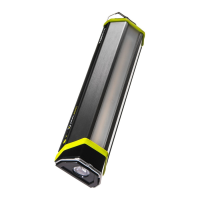
The Goal Zero Torch 500 is a versatile multi-use light and USB power bank designed for various lighting and charging needs. It combines a powerful light source with a built-in battery and multiple charging options, making it suitable for outdoor adventures, emergency preparedness, or everyday use.

Function Description:

The Torch 500 serves two primary functions: providing illumination and acting as a portable power bank. For illumination, it features both a floodlight and a spotlight, each capable of emitting up to 300 lumens. These lights can operate independently or simultaneously, offering different beam patterns and intensities to suit various situations. As a power bank, it can charge small electronic devices via its USB-A output port, making it useful for keeping phones, POV cameras, and tablets powered on the go.

Important Technical Specifications:

Light:

  • Spot Light: 300 Lumens
  • Flood Light: 300 Lumens

Solar:

  • Rated Power: 1.2W
  • Cell Type: Monocrystalline

Ports:

  • USB-A Port (Output): 5V, up to 2.1A (10.5W max), regulated
  • USB-C Port (Input): 5V, up to 1A (5W max)

Battery:

  • Cell Chemistry: Li-NMC
  • Cell Capacity: 18.7Wh (3.6V, 5200mAh)
  • Lifecycles: Hundreds of cycles
  • Shelf-life: Charge every 3-6 months
  • Management System: Charging and low-battery protection built-in

Charge Times:

  • Goal Zero Nomad 10 (Solar Panel): 4-6 hrs
  • Built-in Solar: 23-46 hrs (full sun)
  • USB Source: 4 hrs

Run Times (Approximate):

  • Spotlight (low power): 50 hrs
  • Spotlight (medium power): 7.5 hrs
  • Spotlight (high power): 3.5 hrs
  • Floodlight (low power): 50 hrs
  • Floodlight (medium power): 7 hrs
  • Floodlight (high power): 3 hrs
  • Both Lights (high power): 2 hrs

General:

  • Weight: 12.8 oz (363 g)
  • Dimensions: 8.8 x 2.2 x 1.4 in (22.4 x 5.6 x 11.4 cm)
  • Operating Usage Temperature: 32-104°F (0-40°C)
  • Certs: BC, CE, FC
  • Light Sources: Non-replaceable

Usage Features:

Charging the Torch 500:

The Torch 500 offers multiple ways to recharge its internal battery:

  1. Built-in Solar Panel: The integrated monocrystalline solar panel can charge the Torch 500 in approximately 23 hours in full sun. For faster charging, additional Goal Zero solar panels (like the Nomad 10) can be used, reducing charge time to 4-6 hours.
  2. USB-C Input Port: Connect the Torch 500 to any USB-A/USB-C port using a compatible cable. Charging via a USB source takes about 4 hours. When the solar panel is actively charging, the blue LED indicator lights will turn on and blink, indicating that power is being harvested. For optimal solar charging, angle the solar panel directly towards the sun. A useful tip is to leave the Torch 500 in a windowsill to ensure it's always charged and ready.

Adjusting Light Settings:

Both the floodlight and spotlight have three operational settings: high, medium, and low.

  • To cycle through settings, press the respective on/off button:
    • One click: High
    • Two clicks: Medium
    • Three clicks: Low
  • Each click must be performed within 5 seconds of the previous one to advance to the next setting. To turn the light off from any setting, wait 5 seconds and then click the button a second time.

Powering Devices:

The 1A USB-A output port allows you to charge various USB-powered devices. For example, it can provide approximately 3 recharges for a POV camera, 1 recharge for a phone, or a 50% boost for a tablet.

Integrated Design:

The Torch 500 features an integrated metal hanger, allowing for convenient placement and hands-free lighting.

Maintenance Features:

Battery Management:

The device includes a built-in management system for charging and low-battery protection, which helps prolong the battery's lifespan. To maintain optimal battery health, it is recommended to charge the Torch 500 every 3-6 months, especially during periods of non-use.

Overheat Protection:

If the Torch 500 begins to overheat during operation, the lights will automatically dim to cool down. This is a protective measure, and the device can continue to be used in this dimmed state.

Warranty:

The Torch 500 comes with a 12-month warranty. Users are encouraged to activate their warranty at goalzero.com/warranty.

Important Warnings:

To prevent damage to the product, avoid leaving the Torch 500 in the window of a vehicle in direct hot sun, as this can cause overheating and potential damage.

GOAL ZERO Torch 500 Specifications

General IconGeneral
BrandGOAL ZERO
ModelTorch 500
CategoryLighting Equipment
LanguageEnglish

Related product manuals