EasyManua.ls Logo

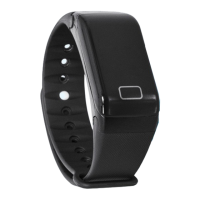
Goclever CHRONOS ECO - User Manual

Goclever CHRONOS ECO
37 pages
Print Icon
To Next Page IconTo Next Page
Loading...
CHRONOS ECO
user manual
Model: GCWCHRE (BLACK)
Model: GCWCHREW (WHITE)
SERVICE HISTORY
Date#1:______________________________
SERVICE STAMP AND SIGNATURE:
Date#2:______________________________
SERVICE STAMP AND SIGNATURE:
Date#3:______________________________
SERVICE STAMP AND SIGNATURE:
_____________________________________
GOCLEVER CHRONOS ECO SERIAL NUMBER:
Question and Answer IconNeed help?

Do you have a question about the Goclever CHRONOS ECO and is the answer not in the manual?

Summary

Menu Options

Menu Functions

Access MESSAGES, MUSIC, CAMERA, and FITNESS features via the menu.

Settings

Setting Categories

Adjust TIME, DATE, BACKLIGHT, MOTION LIGHT, NIGHT MODE, LANGUAGE, DISPLAY, and ANTI LOST.

Goclever CHRONOS ECO Specifications

General IconGeneral
Water ResistanceIP67
ConnectivityBluetooth 4.0
CompatibilityAndroid, iOS
SensorsHeart rate monitor, Pedometer
NotificationsCall, SMS

Related product manuals