Need help?
Do you have a question about the Goclever eye tau and is the answer not in the manual?
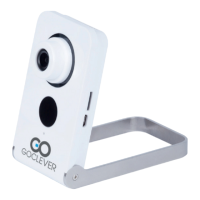
Identifies the camera's status LED (DIOD) and the ambient light sensor.
Details the Micro SD card slot, microphone, and reset button on the camera.
Guide for initial camera setup using the Goclever Eye mobile application and Wi-Fi connection.
Instructions for downloading, installing, and using the Goclever Eye PC client software.
Guide to accessing and utilizing the camera through the web browser interface.
Steps to install and configure the Goclever Eye app on an Android device.
Details product compliance with EU directives and certifications, linking to further information.
Provides instructions for responsible disposal of the device according to WEEE regulations.
Outlines country-specific restrictions for Wi-Fi channel usage for optimal performance.
Information on accessing the service center list via the Goclever website for support inquiries.
 General
| Wi-Fi | 802.11 b/g/n |
|---|---|
| Motion Detection | Yes |
| Storage | MicroSD card slot (up to 32GB) |
| Resolution | 1280x720 |
| Night Vision | Yes |
| Power Supply | 5V |
| Operating Temperature | 0°C |

 To Next Page