If this device is first used, please use AV adaptor to fully charge it
power adaptor to charge for tablet
Reminder icons:
When some remind me
the screen to open the reminder list. Choose the menu you need, and confirm the
information. Then you can close the reminder window through clicking the column to slide up.
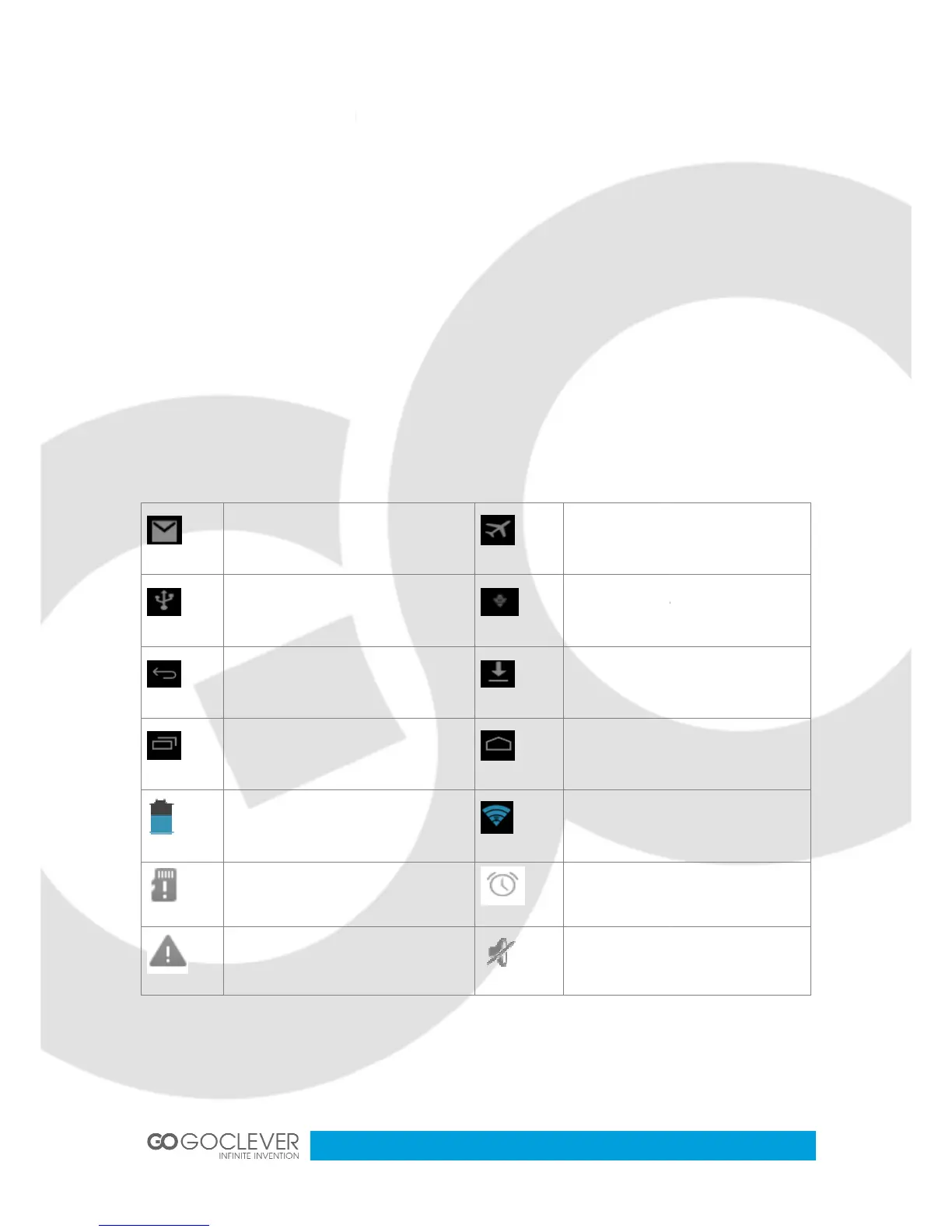
Please refer to below status icons.
Display the latest programs
No SD card
General notice
If this device is first used, please use AV adaptor to fully charge it
power adaptor to charge for tablet
reminder window, please click column and slip
the screen to open the reminder list. Choose the menu you need, and confirm the
information. Then you can close the reminder window through clicking the column to slide up.
Please refer to below status icons.
USB adjustment is connected
Display the latest programs
connected, available to internet
reminder window, please click column and slip
the screen to open the reminder list. Choose the menu you need, and confirm the
information. Then you can close the reminder window through clicking the column to slide up.
USB adjustment is connected
connected, available to internet


 To Next Page