EasyManua.ls Logo

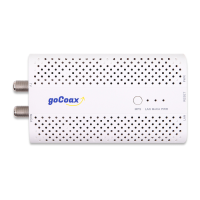
goCoax MA2500D - User Manual

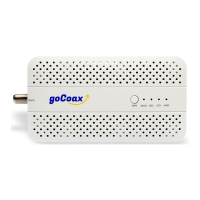
goCoax MA2500D
6 pages
Print Icon
To Next Page IconTo Next Page
Loading...
MA2500D
MoCA 2.5 Ethernet adapter
Quick Start Guide
GOCOAX, INC.
www.gocoax.com
support@gocoax.com
MoCA 2.5, faster than ever
MoCA 2.5 mesh network is capable of 2.5 Gbps actual data rates. It is the ideal
backbone for Wi-Fi connectivity as it runs over the existing in-home coaxial cabling.
You need at lease two MoCA 2.5 devices to enjoy the ultra-fast network.
1, Network setup
We use a ber to home network as a reference.
goCoax
Question and Answer IconNeed help?

Do you have a question about the goCoax MA2500D and is the answer not in the manual?

Summary

MoCA 2.5 Technology Overview

Network Setup Guide

Connect First Adapter

Connects the primary adapter to the main router and coaxial network to distribute internet.

Connect Additional Adapters

Details on adding more adapters to extend the MoCA network for other devices.

Check Splitter Connections

Ensures proper splitter setup for optimal MoCA network performance and connectivity.

Device Management and Configuration

Access Management Web

How to access the adapter's web interface for configuration and monitoring.

Perform Factory Reset

Steps to restore the adapter to its original default settings using buttons or the web interface.

Enable MoCA Encryption

Guides on securing the MoCA network by enabling encryption and setting passwords.

Troubleshooting Common Issues

Diagnose MoCA Link Issues

Troubleshoots problems when the MoCA connection is not established or is down.

Resolve Slow Internet Speed

Identifies causes and solutions for slow network speeds experienced with the MoCA adapter.

Address 3 rd Party Device Compatibility

Addresses potential issues when using the adapter with older or third-party MoCA devices.
goCoax MA2500D Specifications

General IconGeneral
BrandgoCoax
ModelMA2500D
CategoryAdapter
LanguageEnglish

Related product manuals