8
Hardware Installation
Note: To achieve optimal performance, a CAT6 or CAT7
cable is recommended.
1. Power off all devices including your HDMI source and
display.
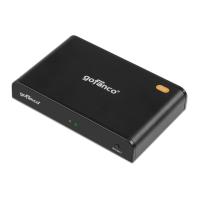
2. Connect your HDMI source to the Transmitter's HDMI
IN connector with an HDMI cable (not included).
3. Optional: Connect the IR Receiver or Blaster extension
cable according to the instructions on page 7.
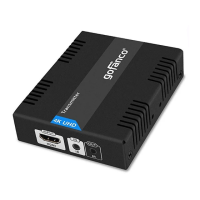
4. Connect your HDMI display to the Receiver's HDMI OUT
connector with an HDMI cable (not included).
5. Optional: Connect the IR Receiver or Blaster extension
cable according to the instructions on page 7.
6. Connect and link the Transmitter and Receiver by a
CAT5e/6/7 cable.
7. Plug the included power adapters into the Transmitter's
or Receiver's Power Jack, then plug the power adapter
into a reliable power outlet.
8. Power on your HDMI device and HDMI display.
9. The HDMI Extender is ready for use.
* When using the remote control, please make sure its
distance to the IR Receiver extension cable is within 5
meters (16.4 ft) and without obstructions.


 To Next Page