10
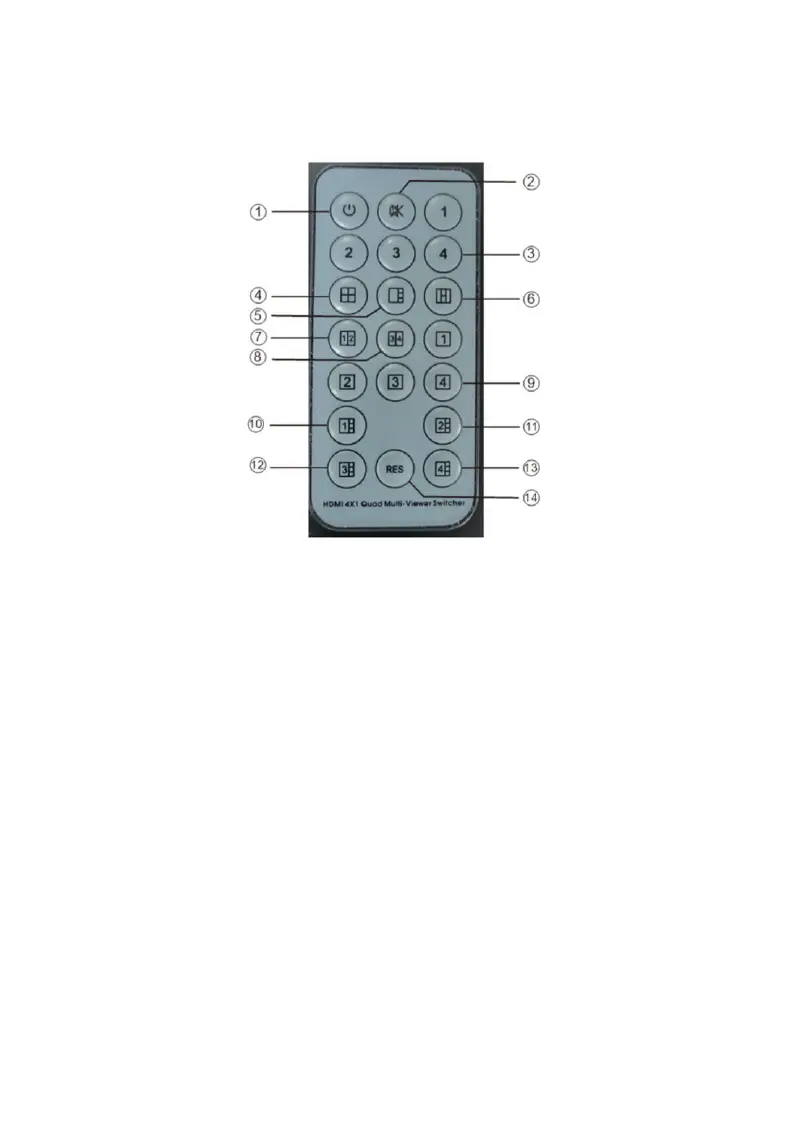
Remote Control
1. Power: Press to turn On/Off the multi-viewer
2. Mute: Press to mute the audio
3. Audio (1-4): Press to select audio mode - Input 1,
Input 2, Input 3, Input 4
4. 2x2: Press to select 2x2 split screen
5. 1x3: Press to select 1 large & 3 small split screen
6. H Quadview: Press to select 4 screens in H pattern
- Input 1 & Input 2 (outside), Input 3&4 (middle)
7. Side by Side: Press to select Input 1 and Input 2
split screen portrait mode
8. Side by Side: Press to select Input 3 and Input 4
split screen portrait mode
9. Full Screen (1-4): Press to select an input source to
display full screen



 To Next Page