INSTALLATION
Installation is very easy and should just take a few minutes. For most installations the
Base Station will mount directly on the ProLogic or Aqua Logic main control unit (see
description and diagram below). For some installations where the remote devices are
a long distance from the Base Station or where there are interfering walls (eg. A steel
shed in the yard or a steel reinforcing grid inside a stucco wall on the house), the Base
Station may have to mounted remotely from the control unit in order to achieve
reliable communications. Refer to the instructions and diagram on page 3 for more
information regarding remote mounting.
Direct Mounting on Pro Logic or Aqua Logic Control Unit
Disconnect power and then remove the panel from the Pro Logic or Aqua Logic
control unit. Remove the knock-out on the upper left side of the enclosure and mount
the RF Base Station. Secure the Base Station in place by firmly tightening the nut from
inside of the enclosure. Lastly, plug the pigtail cable into the connector labeled
“Wireless Connector” on thePro Logic/ Aqua Logic main circuit board.
25
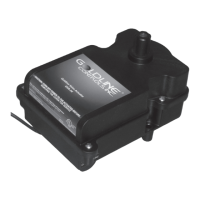
Base Station
(AQL2-BASE-RF)
Tighten nut
Main PCB
Connector for
Base Station


 To Next Page