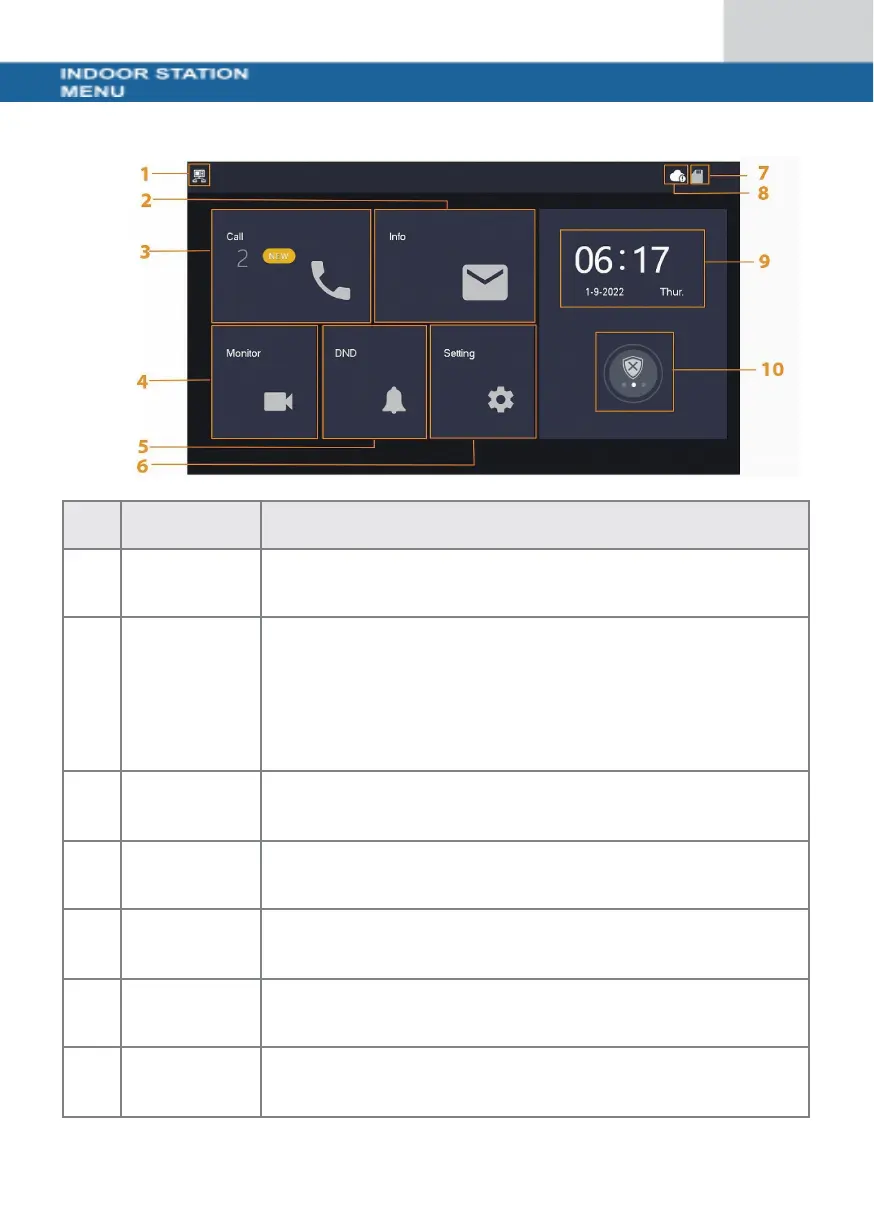
Start screen
If this symbol is not displayed, this means that the indoor
station is an extension.
• Display, delete individual or complete list
• If an SD card is inserted, 3 additional tabs are
displayed: Alarm, Guest message and Video image
• In the Video image tab, you can display videos
and snapshots and delete them individually or
collectively
You can view the call list and call both door stations and
connected mobile phones.
Display of live images from the door station or cameras
Settings for ring times, times, WLAN, app, etc.
If the symbol is displayed, an SD card is inserted


 To Next Page
 Loading...