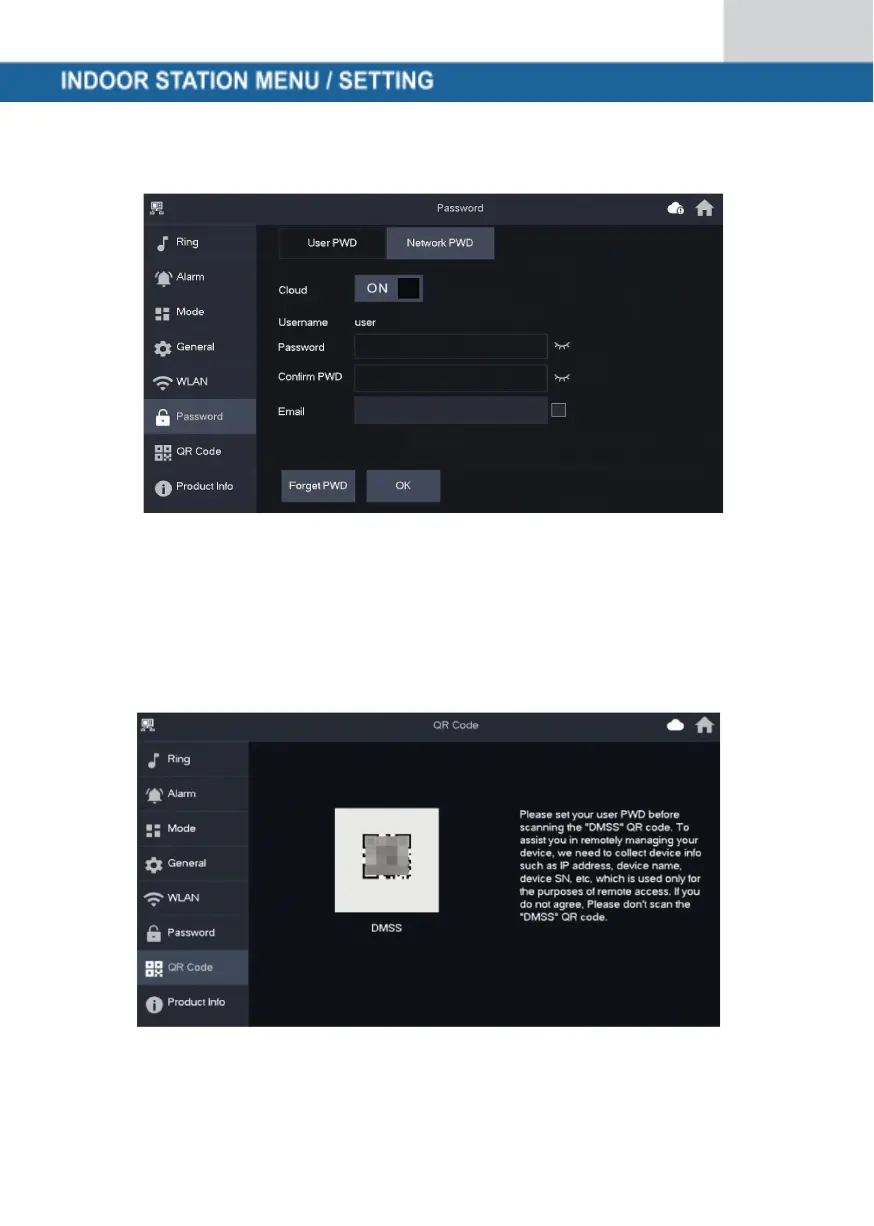
Step 2: Set a password and confirm it. If you wish, you can also enter an
e-mail address in case you forget the password and want to reset it.
Step 3: Save the password with OK.
After the network password has been created, the indoor station automatically
generates a code under Settings → QR Code, which can be scanned with the
DMSS app. If no network password has been created, no code is displayed
under QR Code.



 To Next Page