2.2
Top View
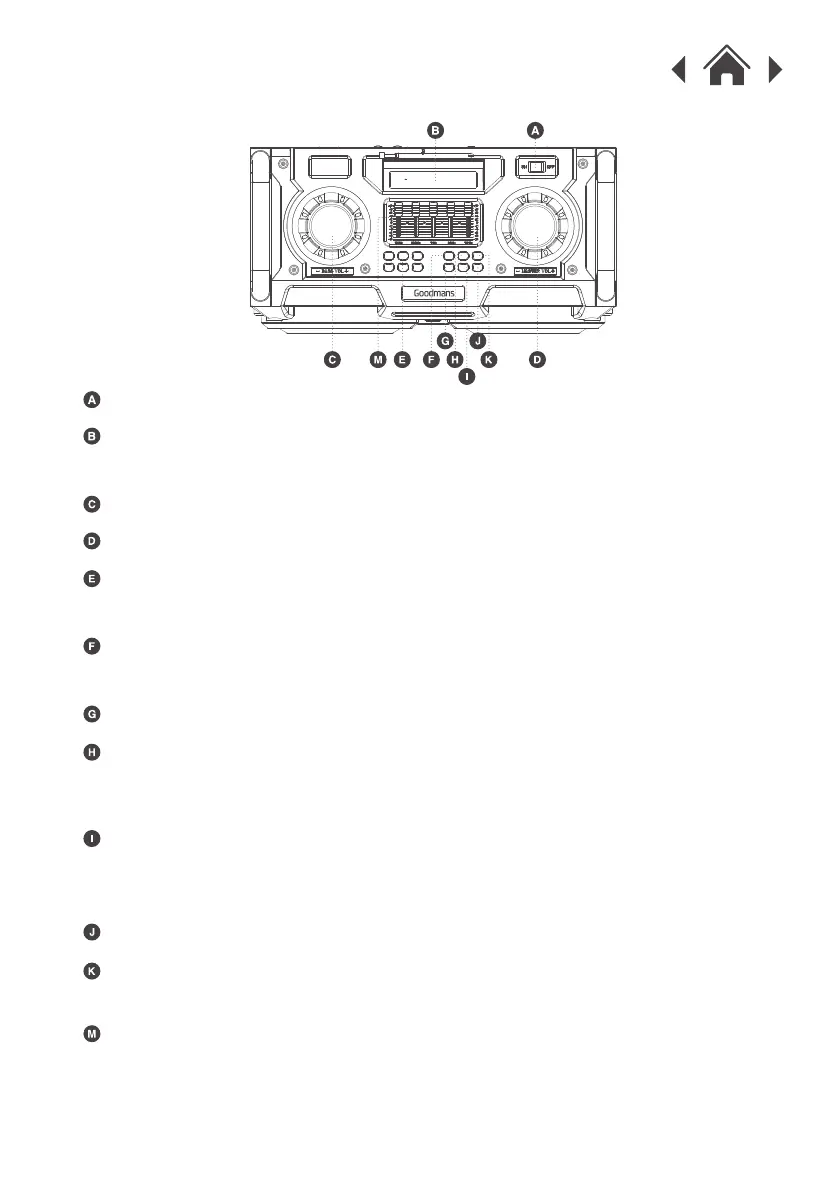
Power ON / OFF Button
Press the button to select between BT / USB / Card / Line-in mode.
Use these controls to change the low, mid and high sound frequencies.
Mode Button
LED Light Mode Button
LED Light On / Off Button
Previous Track
Cycleplay
Master Volume Control
Bass Volume Control
LCD Screen
Play / Pause
Next Track
EQ Adjust
Display the pattern of the current mode.
Press the button to turn the lights on or off.
Press the 6 buttons to select different LED light modes.
When a USB or TF card is inserted, press this button once to repeat a
single track or press twice to repeat all tracks.
Press the button once to Play/Pause the music.
Hold the button to disconnect from a Bluetooth device.


 To Next Page