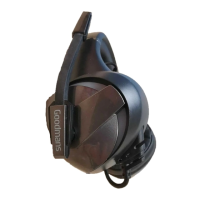
This document is a user manual for the Goodmans Camo Gaming Headset, model 359699. It provides instructions on how to use, connect, and troubleshoot the headset, as well as important information regarding sound levels and waste disposal.
The Goodmans Camo Gaming Headset is designed for an immersive gaming experience, featuring a comfortable over-ear design with a built-in microphone and headset lights. The headset is primarily intended for use with gaming consoles and PCs, offering clear audio output and communication capabilities.
Unpacking and Components:
Upon opening the box, users will find the following items:
- Gaming Headset: The main unit, featuring padded earcups and an adjustable headband for comfort during extended gaming sessions.
- USB Cable Adapter: This adapter is used to supply power to the headset lights, enhancing the aesthetic appeal of the device.
- Y Adapter Cable: This cable is crucial for connecting the headset to devices that have separate ports for microphone and headphone input. It splits the single 3.5mm jack into two, one for the green headphone connector and one for the pink microphone connector.
- Quick Start Guide: A concise guide to help users set up the headset quickly.
- Instruction Manual: A comprehensive manual detailing all features, usage instructions, and troubleshooting steps.
- Safety & Guarantee Manual: Important information regarding product safety and warranty.
Headset Features:
The headset itself comprises several key components:
- Headset (A): The main body of the device, including the earcups and headband.
- Microphone (B): An integrated microphone, likely adjustable, for in-game communication.
- Headset Lights (C): Decorative lights on the headset, powered via the USB connection, adding to the gaming aesthetic.
Control Features:
The headset includes an in-line control unit for easy access to audio adjustments:
- Volume Control Wheel (D): Allows users to adjust the audio output level directly from the cable, providing convenient sound management without needing to access system settings.
- Microphone ON/OFF Button (E): A toggle button to quickly mute or unmute the microphone, essential for privacy or managing in-game communication.
Connection Features:
Connecting the headset to a gaming device is straightforward:
- 3.5mm Microphone (F): This is the primary audio and microphone connector. Users should connect this jack to their games controller.
- USB Plug (G): This plug is specifically for powering the headset lights. It should be connected to a USB port on a PC or games console.
- Y Adapter Cable (H): As mentioned, this adapter is used when the gaming device has separate ports for headphone (green connector) and microphone (pink connector). The green connector goes to the headphone port, and the pink connector goes to the microphone port. This ensures both audio output and microphone input are correctly routed.
Usage Guidelines and Safety:
The manual places significant emphasis on establishing safe sound levels to protect hearing:
- Hearing Protection: Users are strongly advised to follow guidelines to prevent potential damage or loss of hearing.
- Sound Adaptation: Over time, hearing can adapt to continuous loud sounds, making them seem less loud than they actually are. This can be misleading and potentially harmful.
- Setting Safe Volume: To guard against this, users should start with a low volume level and gradually increase it until the sound is comfortable, clear, and free of distortion.
- Irreversible Damage: The manual warns that hearing damage is accumulative and irreversible. Ringing or discomfort in the ears indicates that the volume is too loud.
- Maintaining Volume: Once a comfortable listening level is established, users should avoid increasing the sound level further.
Troubleshooting:
The manual provides a troubleshooting section to address common issues:
- No Sound:
- Verify that microphone and headphone sockets are connected to the correct ports.
- If using the Y adapter, ensure connections are correctly oriented.
- Adjust the volume using the control wheel.
- Check that the volume is not turned down on the PC or games console.
- Microphone Not Working:
- Confirm microphone and headphone sockets are connected to the correct ports.
- Ensure the Mic control is turned on.
- If using the Y adapter, check that connections are correctly oriented.
- Headphone Lights Not Working:
- Make sure the USB connector is properly connected to a PC or games console.
- Voice Can't Be Heard Clearly:
- Ensure the microphone arm has been rotated downwards, positioning it correctly for clear voice capture.
Maintenance and Environmental Responsibility:
While specific maintenance features are not detailed, the manual includes important information regarding environmental responsibility:
- WEEE Compliance: The product is marked with the Waste Electrical & Electronic Equipment (WEEE) symbol, indicating that it should not be disposed of with general household waste.
- Separate Collection: WEEE marked products must be kept separate for proper treatment, recovery, and recycling of materials.
- Recycling Instructions: Consumers should take all WEEE marked waste to their Local Authority Civic waste site, where it will be accepted free of charge.
- Environmental Benefits: Correct disposal helps save valuable resources and prevents potential negative effects on human health and the environment from hazardous materials.
In summary, the Goodmans Camo Gaming Headset is a user-friendly device designed to enhance the gaming experience with clear audio, communication features, and aesthetic lighting. The manual emphasizes safe usage practices, provides clear connection instructions, and offers practical troubleshooting advice, ensuring users can enjoy their headset responsibly and effectively.

 Need help?
 General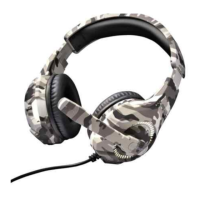

 To Next Page