English • Owner´s manual
33
If you select Mile/h for unit set:
Pit Lane mode: 8 Mile/h - S in color white in display
Race mode: 13 Mile/h - S in color yellow/orange in display
Full gas mode: 16 Mile/h - S in color red in display
ATENCIÓN
To change speed mode, when the scooter is on, press power button and the display reect the type of
speed mode.
Turn ON/OFF the scooter
To turn ON: When the scooter is o, please press shortly power button
To turno OFF: When the scooter is o, please press 3 seconds power button
Turn ON/OFF the lights
To turn on/o the lights (front and rear) please press power button twice in a row
When you turn on the lights display reects it (point 2 in picture)
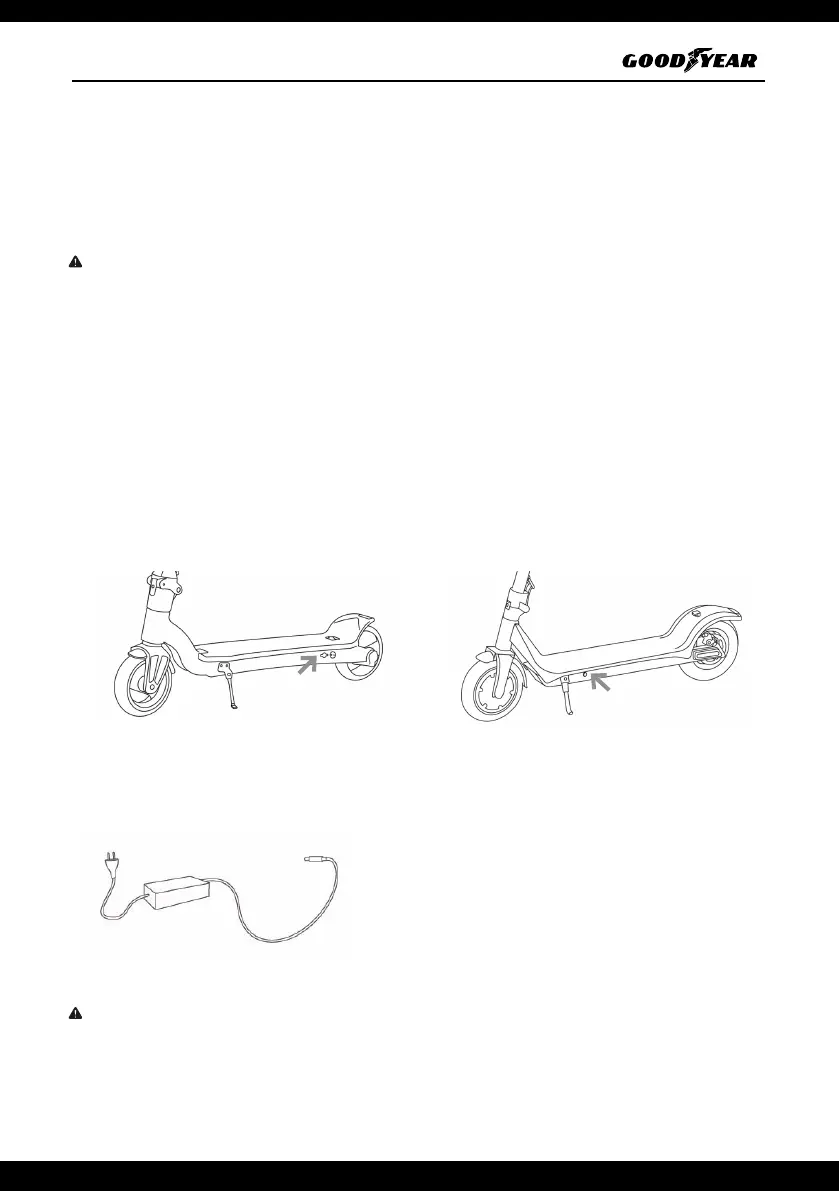
2. Charge the scooter
Model G3 Model G6/G6+
1. Lift the rubber ap from the bottom of the electric scooter
2. Plug the charging adapter into the charging port.
LED indicator light on the battery adapter:
Red light : Indicates that the battery is charging.
Green light: The battery is fully charged.
ATTENTION
When charging is completed, put back the rubber fl ap.


 To Next Page
 Loading...