English • Owner´s manual
40
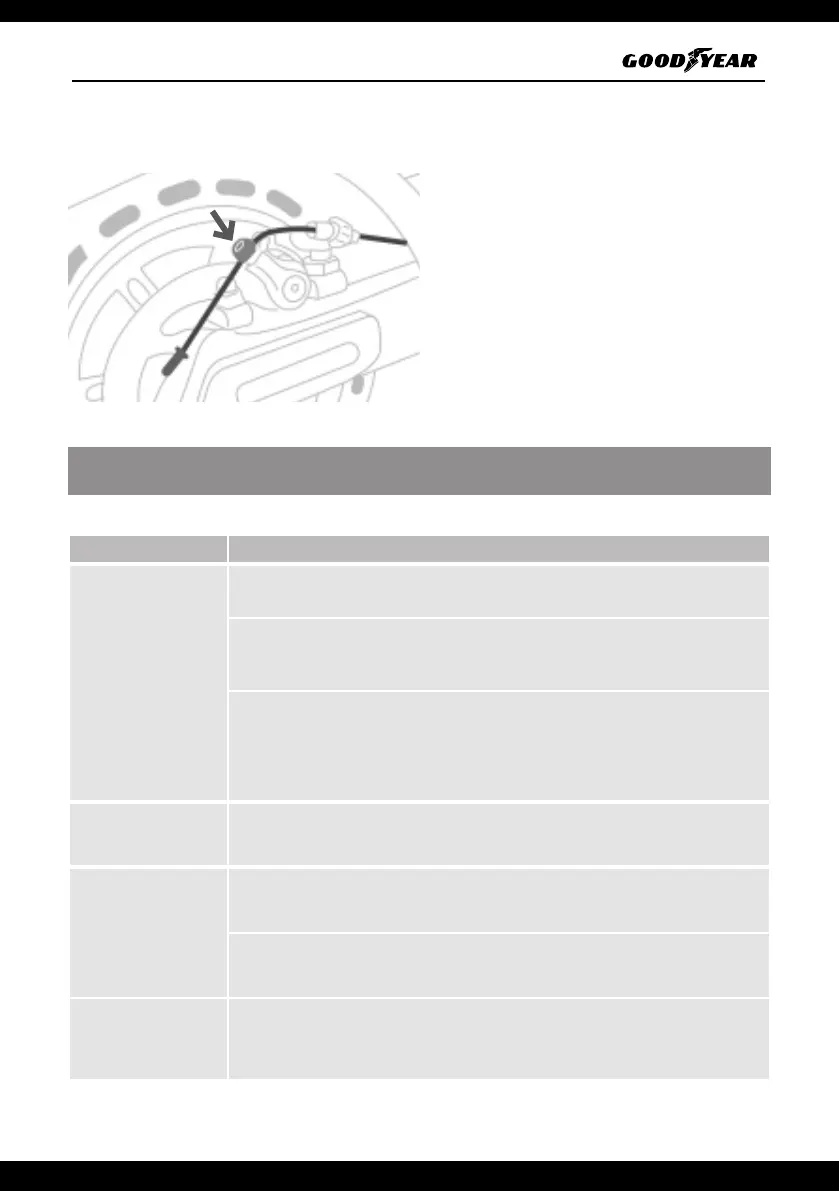
Disc brake adjustment (model G6 / G6+)
If the brake is too hard, use the hex Allen wrench
to loosen the brake caliper screw. Then keep the
brake applied and adjust the rear brake cable
slightly (decrease the exposure length) and
retighten the screw.
If the brake is too loose, loosen the caliper screw.
Follow the above steps but increase the exposure
length.
12. PROBLEMS AND SOLUTIONS (Model G6 and G6+)
Electrical errors
PROBLEM SOLUTION
Tail light does not
turn on
Check for a crack in the taillight cable, and replace the taillight.
If the taillight connector has come loose, reconnect it, if it does not come on,
replace the taillight.
Check for damaged brake lever cable and loose display screen connector,
(replace brake lever or display screen, both should be tested with brake lever or
display screen to determine problem).
Front light does not
turn on
Front light or display screen problem, need to replace with new front light and
display screen alternately to test.
The scooter does not
turn on
If you hear a sound, but nothing shows up on the display screen when you turn
it on, replace the display screen
If there is no sound and nothing appears on the display screen, please check
that the charger, charging port and battery are working properly.
The scooter cannot
be connected to the
app
Review section 9 of the manual, follow the steps in the explanatory video to
reset your scooter.


 To Next Page
 Loading...