OPERATION INSTRUCTIONS
1. USING THE DUMPING
FEATURE
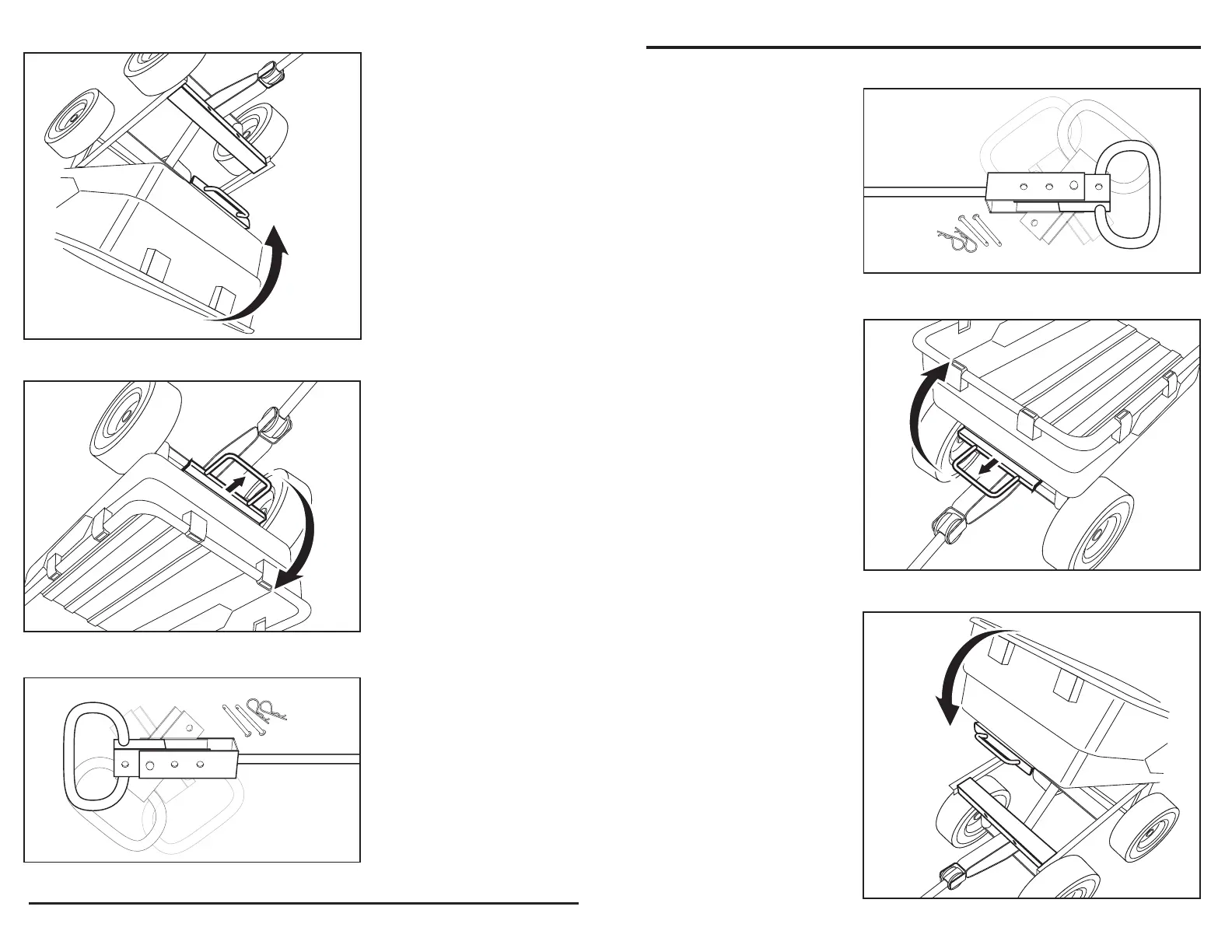
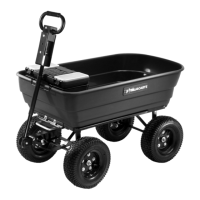
To use the dumping feature,
pull the dumping release
handle forward in order to
release the tray from the
locking mechanism. Lift the
release handle in order to
rotate the tray upward into
the dumping position, as
shown in Fig. 2.
USING THE SWIVEL
HANDLE
1. Remove clips and
cotter pins.
2. Rotate the handle and
insert cotter pin. Secure
by attaching the clip.
3. The second cotter pin
is used to attach the
handle to the trailer hitch,
as shown in Fig. 1.
2. RETURNING THE TRAY
TO THE LOWERED
POSITION
Return the tray back to the
lowered position and verify
that the dumping release
handle locks in place, as
shown in Fig. 3.
9
Fig. 2
Fig. 3
Fig. 1
Fig. 2
Fig. 3
Fig. 1
INSTRUCCIONES DE OPERACIÓN
1. PARA UTILIZAR LA
CARACTERÍSTICA DE
VOLCADO
Para utilizar la característica
de volcado, jale la manija de
liberación de volcado hacia
delante para liberar la
bandeja del mecanismo de
bloqueo. Levante la manija
de liberación para girar la
bandeja hacia arriba a la
posición de volcado, como
se muestra en la Fig. 2.
PARA UTILIZAR LA MANIJA
GIRATORIA
1. Retire los sujetadores y
los pasadores de chaveta.
2. Gire la manija e inserte
los pasadores de chaveta.
Fíjela con el sujetador.
3. El segundo pasador de
chaveta se usa para fijar la
manija al enganche de
remolque, como se muestra
en la Fig. 1.
2. PARA VOLVER A
COLOCAR LA BANDEJA
EN LA POSICIÓN BAJA
Vuelva a colocar la bandeja
en la posición baja y
verifique que la manija de
liberación de volcado se
bloquee en su lugar, como
se muestra en la Fig. 3.
9


 To Next Page