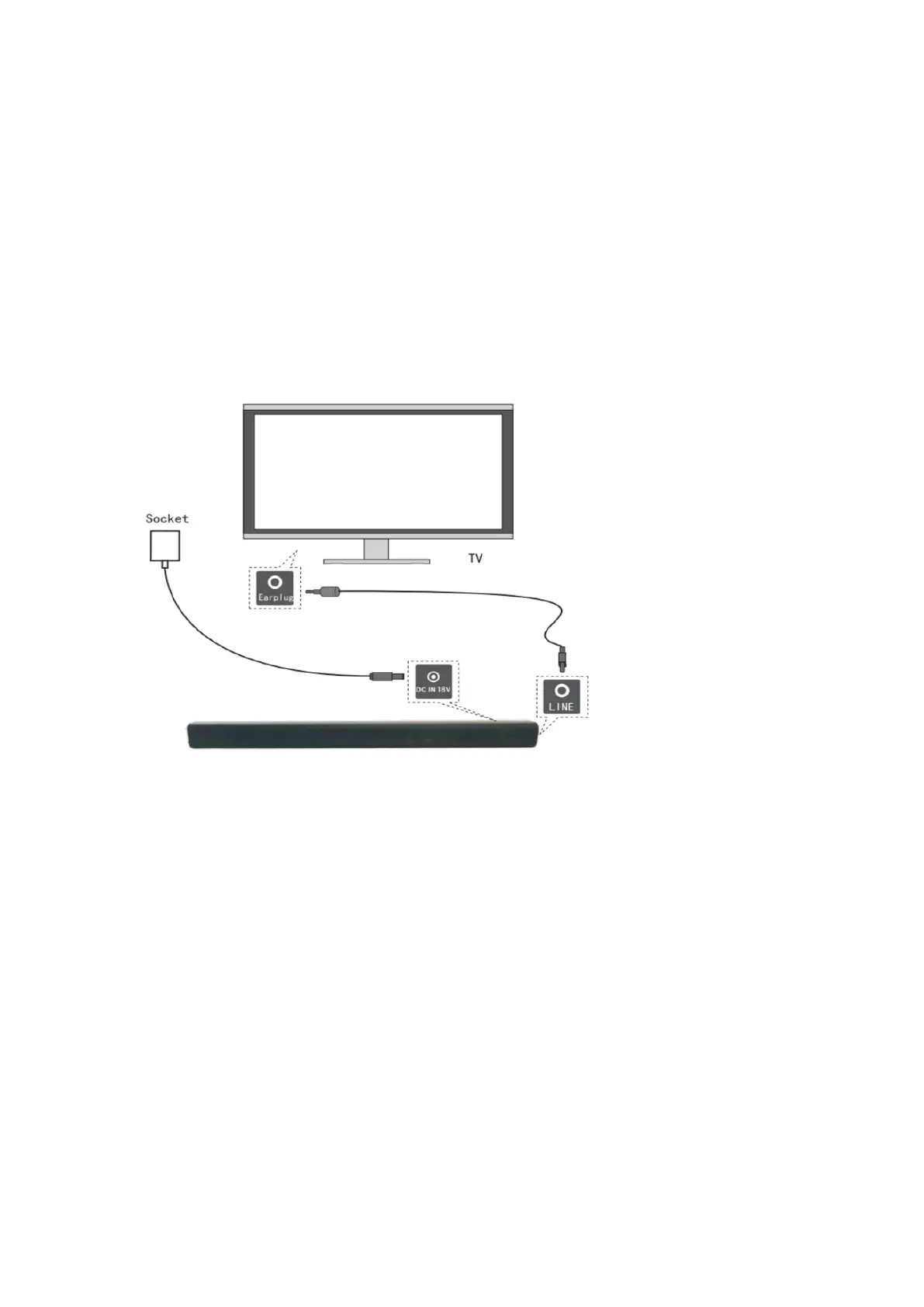
7- Instruction for connecting via Line IN Cable
Note: This Line IN cable is provided.
If you want to connect a TV or other audio device with the Line IN cable, this means that
you need to connect to the output port of your audio device. Press the "Line IN" button and
connect the supplied Line IN cable to the headphone output of your TV set. Connect the
other side of the cable to the Line IN port on the soundbar.


 To Next Page