16 GMC-I Messtechnik GmbH
5 Measuring Insulation Resistance – Riso/Rins Function
5.1 Connection
Checking the Measurement Cables
Before performing insulation measurement, the test
probes on the measurement cables should be short-cir-
cuited in order to assure that the instrument displays a
value very close to 0 Ω (see section 8). This makes it pos-
sible to detect interrupted measurement cables, which
simulate high insulation resistance.
For this instrument,
fuse testing
is only performed after swit-
ching from one insulation resistance measuring range to
another. When further measurements are performed in the
same measuring range, fuse testing is dispensed with for the
sake of a faster test procedure.
Ð Connect the device under test to the + and COM jacks.
Sample connection layouts for insulation resistance measurement are
included in section 14.1. Insulation resistance can only be measured at
voltage-free objects. If mains voltage or external voltage is applied to the
measurement inputs, measurement cannot be started. This is indicated
by the
high-voltage symbol
which appears at the display.
5.2 Performing the Measurement
Note: Condensation must be ruled out when performing measure-
ments at close to the freezing point.
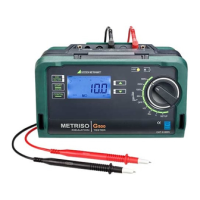
Ð Select the measuring function and the desired test voltage
with the rotary switch, e.g. R
iSO
100V.
The momentarily selected test voltage (nominal voltage) appears
in the bottom right-hand corner of the display.
Ð
Start an individual measurement by briefly pressing the
START
key, or
initiate continuous measurement by briefly pressing the
CONTIN
key
.
L1
L2
N
PE
L3
R
B
R
E
+
COM
R
ISO
+ COM SHIELD
Rx
0V !
!
R
ISO
R
INS
MAN
DATA
ISO
500V
1
0
0
k
1
G
1
0
k
1
M
1
0
G
1
00
G
1
0
0
M
1
0
M
---
START
ENTER



 To Next Page
 Loading...