4
button. Only do this if you want to erase the
socket’s current settings.
The socket can be controlled individually. You can
also control it individually in your app.
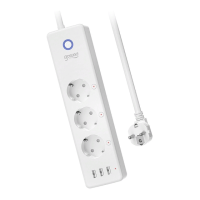
Parameters
Input: 100-240V~, 50/60Hz
Output: 15A Max
USB ports: 5V/3.1A
Material: PC (VO Fireproof, UV resistant)
WiFi Network: 802.11 b/g/n, 2,4GHz (only)
Download the Gosund App
1. Search “Gosund” and download the Gosund App
on the App Store or Google Play, or scan the QR
code below and install.
2. Please open the “Gosund” App. Click register and
type in your email address to automatically
create an account, or type in your phone
number to get a verification code to register an


 To Next Page