12
3. Insert your new brush into the slot through the bottom of the
device. Replacement brushes are not included with your original
purchase.
4. Insert a new brush into the bottom slot of the cleaner. (Replace-
ment brushes are not included)
b. Brush Replacement.
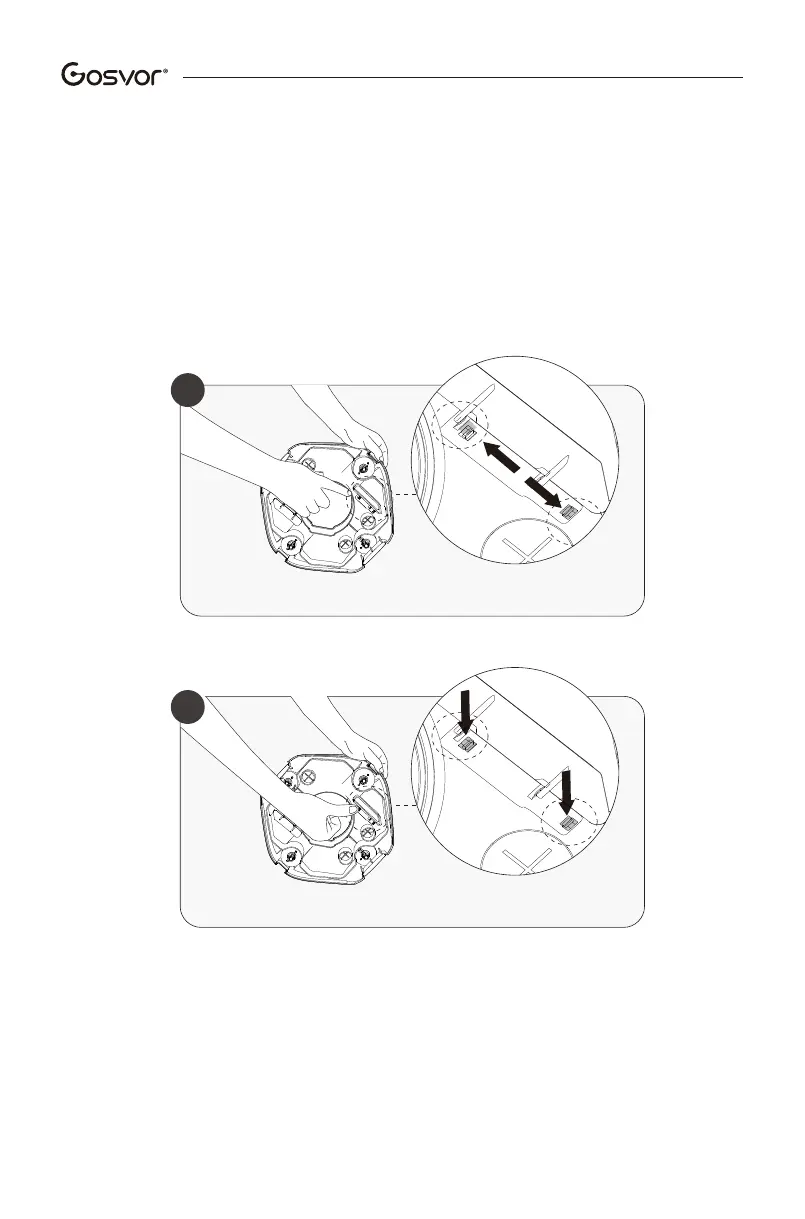
If a brush becomes worn out, follow the steps below.
1.Remove the top cover of the device to expose the brushes.
2.Using your fingers or a small tool, press the two small locking
bars according to the image below.
Push
b2
Push
b1


 To Next Page