EasyManua.ls Logo

Govee H613D - User Manual

Govee H613D
10 pages
Print Icon
To Next Page IconTo Next Page
Loading...
Troubleshooting
The adhesive tape is not strong enough.
Length
Light Color
Water Resistance
Control Method
Power Supply
20m(10m-2Rolls)/65.6ft(32.8ft-2Rolls)
RGB
NO
App, Control Box
Adapter 12V
Specifications
Make sure the installation surface is clean and dry.
Firmly press over the strip after sticking.
Cannot connect to Bluetooth.
Do not skip Bluetooth connection in the app.
Ensure Bluetooth on your smartphone has been turned on.
Your smartphone may be incompatible with the Govee
Home app. Try using a different smartphone then
reconnect.
Power the strip lights and your smartphone Bluetooth off
then on, then try again.
Ensure that your smartphone is within 1m/3.28ft of the
strip lights when connecting.
Clear any obstructions that are between the strip lights
and your smartphone.
Cannot sync the strip lights to the beat of my music.
Move the control box closer to the music source.
Clean the mic on the control box then try again.
The strip lights does not display the full selected
color/Some LED beads do not light up.
Please contact the Govee support team for rapid product
replacement.
Customer Service
Warranty: 12-Month Limited Warranty
Support: Lifetime Technical Support
Email: support@govee.com
Official Website: www.govee.com
@Govee.smarthome@Goveeofficial
@govee.official
@govee_official
@Govee
RGB LED Strip Lights
Model: H613D
User Manual
05 06
FCC Statement
This device complies with Part 15 of the FCC Rules . Operation
is subject to the following two conditions:
(1) This device may not cause harmful interference, and (2)
This device must accept any interference received, including
interference that may cause undesired operation.
Warning: Changes or modifications not expressly approved by
the party responsible for compliance could void the user's
authority to operate the equipment.
NOTE: This equipment has been tested and found to comply with the
limits for a Class B digital device, pursuant to Part 15 of the FCC Rules.
These limits are designed to provide reasonable protection
against harmful interference in a residential installation. This
equipment generates uses and can radiate radio frequency
energy and, if not installed and used in accordance with the
instructions, may cause harmful interference to radio
communications. However, there is no guarantee that
interference will not occur in a particular installation. If this
equipment does cause harmful interference to radio or
television reception, which can be determined by turning the
equipment off and on, the user is encouraged to try to correct
the interference by one or more of the following measures:
Reorient or relocate the receiving antenna.
Increase the separation between the equipment and receiver.
Connect the equipment into an outlet on a circuit different
from that to which the receiver is connected.
Consult the dealer or an experienced radio/TV technician for help.
1.
2.
3.
4.
FCC Radiation Exposure Statement
This equipment complies with FCC radiation exposure limits
set forth for an uncontrolled environment. This equipment
should be installed and operated with minimum distance
20cm between the radiator & your body.
1.Do not connect the rope light to the supply while it is in the packing or
wound onto a reel;
2.Do not use the rope light when covered or recessed into a surface;
3.Do not open or cut the rope light
Non-replaceable light source.
Not intended for illumination. Only used for creating ambiance.
The Bluetooth word mark and logos are registered trademarks
owned by Bluetooth SIG, Inc. and any use of such marks by
Shenzhen Intellirocks Tech. Co., Ltd. is under license.
®
Govee is a trademark of Shenzhen Intellirocks Tech Co.,Ltd.
Copyright ©2021 Shenzhen Intellirocks Tech Co.,Ltd. All Rights Reserved.
Responsible party :
Name: GOVEE MOMENTS(US) TRADING LIMITED
Address: 13013 WESTERN AVE STE 5 BLUE ISLAND IL 60406-2448
Email: support@govee.com
Contact information: https://www.govee.com/support
Question and Answer IconNeed help?

Do you have a question about the Govee H613D and is the answer not in the manual?

Summary

Safety Instructions

Introduction

What You Get

Lists the items included in the package with the Govee RGB LED Strip Lights.

At a Glance

Provides a visual overview of the product's components and their functions.

Installing Your Device

Before You Install

Essential checks and preparations to make before beginning the installation process.

Installing Steps

Step-by-step instructions for physically mounting and setting up the LED strip lights.

Pairing Your Device with the Govee Home App

What You Need

Lists the necessary requirements, such as device compatibility and app availability.

Pairing Instructions

Detailed guide on how to connect the Govee LED strip lights to your smartphone via the app.

Troubleshooting

Adhesive Tape Not Strong Enough

Solutions for issues where the adhesive tape does not provide sufficient hold.

Cannot Connect to Bluetooth

Steps to resolve problems encountered when establishing a Bluetooth connection.

LED Display Issues

Guidance for when LED beads do not light up or display the selected colors correctly.

Music Sync Issues

Troubleshooting tips for when the strip lights do not synchronize with music.

FCC Statement

FCC Radiation Exposure Statement

Overview

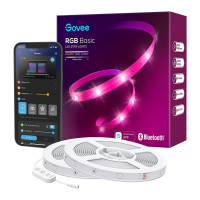
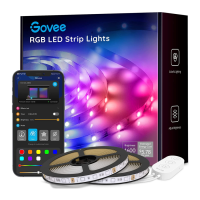
This document is the user manual for the Govee RGB LED Strip Lights, Model H613D. It provides instructions for installation, pairing with the Govee Home app, specifications, troubleshooting, and customer service information.

Function Description:

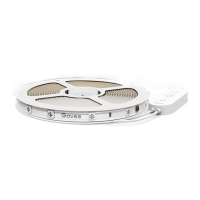
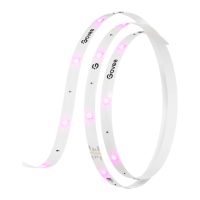
The Govee RGB LED Strip Lights are designed to provide ambient lighting with customizable colors. The product includes a 20m RGB strip light and supports control via a dedicated mobile application (Govee Home App) and a physical control box. The strip lights are not water resistant and are intended for indoor use only, primarily for creating ambiance rather than general illumination. They feature various modes, including color cycling, music mode, and adjustable brightness levels.

Important Technical Specifications:

  • Model: H613D
  • Length: 20m (10m-2Rolls) / 65.6ft (32.8ft-2Rolls)
  • Light Color: RGB
  • Water Resistance: NO
  • Control Method: App, Control Box
  • Power Supply: Adapter 12V
  • App Compatibility: iOS 8.0 (or above) or Android 4.3 (or above)
  • Connectivity: Bluetooth
  • Light Source: Non-replaceable LED components

Usage Features:

The strip lights offer several user-friendly features:

  • On/Off Control: A dedicated button on the control box allows users to turn the light on or off.
  • Color Cycling: Users can press a button on the control box to cycle through 9 preset colors.
  • Music Mode: A button on the control box activates music mode, allowing the lights to sync with the beat of music. For optimal performance in music mode, the control box should be moved closer to the music source, and the microphone on the control box should be kept clean.
  • Brightness Adjustment: Pressing and holding a button on the control box cycles through 6 different brightness levels.
  • App Control (Govee Home App): The primary method of control is through the Govee Home App, available on both iOS and Android devices. The app allows for comprehensive control over colors, modes, and brightness, offering a more extensive range of customization options than the physical control box.
  • Pairing: To use the app, users must download the Govee Home app, enable Bluetooth on their smartphone, open the app, tap the "+" icon, search for "H613D," and follow the on-screen instructions to complete the pairing process. The smartphone should be within 1m/3.28ft of the strip lights during connection.

Installation Steps:

  1. Unpack and Check: Verify all items listed in the packing list are present.
  2. Power On Test: Power on the strip light to ensure it functions correctly before installation.
  3. Surface Preparation: Wipe the installation surface to ensure it is clean and dry. This is crucial for the adhesive tape's effectiveness.
  4. Adhesive Application: Peel off the protective film from the tape on the strip light, stick the strip firmly onto the prepared surface, and press over it to ensure strong adhesion.
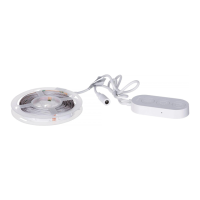
  5. Control Box Placement: Peel off the protective film from the control box and stick it onto a suitable surface.
  6. Power On for Use: Once installed, power on the strip lights to begin using them.

Safety Instructions:

  • Water Resistance: The product is not water resistant; caution is advised during installation and use to avoid exposure to water.
  • Power Adapter: Use only the provided power adapter.
  • Static Electricity: Be cautious of static electricity during installation and usage.
  • Sharp Objects/Chemicals: Keep the product away from sharp objects or strong corrosive chemicals.
  • Bending: When bending the strip lights, avoid folding the LED components to prevent damage and extend the product's lifespan.
  • Installation Surface: Before attaching the strip light, remove any nails, metal, or other conductive objects from the installation surface to prevent short-circuiting.
  • Heat Sources: Do not install the strip light near any heat sources.
  • Children: Do not allow children to install the strip light alone.
  • Dangerous Sources: Avoid installing the strip light near potentially dangerous sources such as candles or liquid-filled objects.
  • Unroll Before Powering: Always unroll the strip lights completely before powering them on.
  • Rope Light Handling: Do not connect the rope light to the supply while it is packed or wound onto a reel. Do not use the rope light when covered or recessed into a surface. Do not open or cut the rope light.

Maintenance Features:

  • Troubleshooting: The manual provides solutions for common issues:
    • Weak Adhesive Tape: Ensure the installation surface is clean and dry, and firmly press over the strip after sticking.
    • Bluetooth Connection Issues: Do not skip Bluetooth connection in the app, ensure Bluetooth is enabled on the smartphone, try a different smartphone if incompatibility is suspected, power cycle both the strip lights and smartphone's Bluetooth, and ensure the smartphone is within 1m/3.28ft of the strip lights during connection.
    • Incorrect Color/Non-lighting LEDs: Contact Govee support for product replacement.
    • Music Sync Issues: Move the control box closer to the music source and clean the microphone on the control box.
    • Obstructions: Clear any obstructions between the strip lights and the smartphone.
  • Customer Service: Govee offers a 12-month limited warranty and lifetime technical support. Users can contact support via email (support@govee.com) or visit the official website (www.govee.com) for FAQs and more information. Social media channels are also provided for community engagement and support.

FCC Compliance:

The device complies with Part 15 of the FCC Rules, ensuring it does not cause harmful interference and accepts any received interference. Users are warned that unauthorized changes or modifications could void their authority to operate the equipment. The equipment has been tested and found to comply with Class B digital device limits, designed to provide reasonable protection against harmful interference in residential installations. Recommendations for correcting interference include reorienting/relocating the receiving antenna, increasing separation between equipment and receiver, connecting to a different circuit, or consulting a radio/TV technician. The device also complies with FCC radiation exposure limits for an uncontrolled environment, requiring a minimum distance of 20cm between the radiator and the user's body during installation and operation.

Govee H613D Specifications

General IconGeneral
BrandGovee
ModelH613D
CategoryLighting Equipment
LanguageEnglish

Related product manuals