www.govee.com
For FAQs and more information,
please visit:
Model: H7016
User Manual
FCC and IC Radiation Exposure StatementFCC and ISED Canada Statement
This device complies with Part 15 of the FCC Rules and Industry Canada licence-exempt RSS
standard(s). Operation is subject to the following two conditions:
(1) This device may not cause harmful interference, and (2) This device must accept any interference
received, including interference that may cause undesired operation.
Warning: Changes or modications not expressly approved by the party responsible for compliance
could void the user's authority to operate the equipment.
Le présent appareil est conforme aux CNR d'Industrie Canada applicables aux appareils radio exempts
de licence. L'exploitation est autorisée aux deux conditions suivantes :
(1) l'appareil nedoit pas produire de brouillage, et
(2) l'utilisateur de l'appareil doit accepter tout brouillage radioélectrique subi, même si le brouillage
est susceptible d'en compromettre le fonctionnement."
NOTE: This equipment has been tested and found to comply with the limits for a Class B digital device, pursuant to
Part 15 of the FCC Rules.
These limits are designed to provide reasonable protection against harmful interference in a
residential installation. This equipment generates uses and can radiate radio frequency energy and, if
not installed and used in accordance with the instructions, may cause harmful interference to radio
communications. However, there is no guarantee that interference will not occur in a particular
installation. If this equipment does cause harmful interference to radio or television reception, which
can be determined by turning the equipment o and on, the user is encouraged to try to correct the
interference by one or more of the following measures:
Reorient or relocate the receiving antenna.
Increase the separation between the equipment and receiver.
Connect the equipment into an outlet on a circuit dierent from that to which the receiver is connected.
Consult the dealer or an experienced radio/TV technician for help.
1.
2.
3.
4.
This equipment complies with FCC and IC radiation exposure limits set forth for an uncontrolled
environment. This equipment should be installed and operated with minimum distance 20cm
between the radiator & your body.
la distance entre l'utilisation et l'appareil ne doit pas être inférieure à 20 cm.
The light source of this luminaire is not replaceable; when the light source reaches its end of life
the whole luminaire shall be replaced.
The Bluetooth word mark and logos are registered trademarks owned by Bluetooth SIG, Inc. and
any use of such marks by Shenzhen Intellirocks Tech. Co., Ltd. is under license.
Govee is a trademark of Shenzhen Intellirocks Tech Co.,Ltd.
Copyright ©2021 Shenzhen Intellirocks Tech Co.,Ltd. All Rights Reserved.
Responsible party :
Name: GOVEE MOMENTS(US) TRADING LIMITED
Address: 13013 WESTERN AVE STE 5 BLUE ISLAND IL 60406-2448
Email: support@govee.com
Contact information: https://www.govee.com/support
Not intended for illumination. Only used for creating ambiance.
Govee Lynx Dream LED Bulb String Lights

 Need help?
 General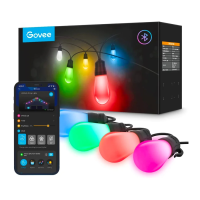

 To Next Page