HOW TO USE
Tap the left MFB twice
Tap the right MFB twice
Touch and hold the left MFB for 2 seconds
Touch and hold the left or right MFB for 2 seconds
Touch and hold the left or right MFB for 5 seconds
Tap the left or right MFB twice
Tap the left or right MFB twice
Tap the left or right MFB once
Tap the right MFB 3 times to activate Voice assistant
Tap the left MFB 3 times to (de)activate Game mode
Touch and hold the right MFB for 2 seconds
Previous song
Volume down
Volume up
Answer call
Power Off
Power On
End call
Music play/pause
Voice assistant
Game mode On/off
Next song
Choose “forget the GOBUDS 902” on your device’s bluetooth list.
Take the two earbuds out of the charging case. Touch and hold the MFB for 5
seconds to power them off.
Touch and hold the MFB on the earbuds for 8 seconds until the red and blue lights
flash rapidly, then tap 5 times to reset.
The earbuds have been reset to their default settings.
1
2
3
4
RESET :
PAIRING DEVICE
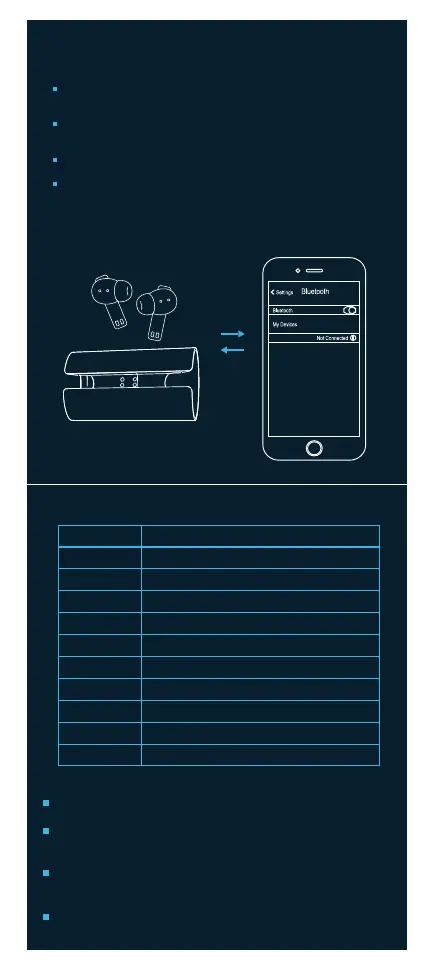
Pairing steps for mobile :
After sliding them out of the case, the earbuds are automatically turned on
and paired with each other.
Open the list of the available bluetooth devices on your device and select
the option of GOBUDS 902 , while keeping the earbuds close to your mobile.
The earbuds’ indicator will flash blue indicating a successful connection.
GOBUDS 902 will automatically be connected to the previously paired
device every time you remove them from the charging case.
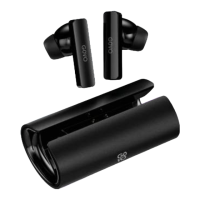
GOBUDS 902


 To Next Page
 Loading...