ction
使用键盘 Use the keyboard
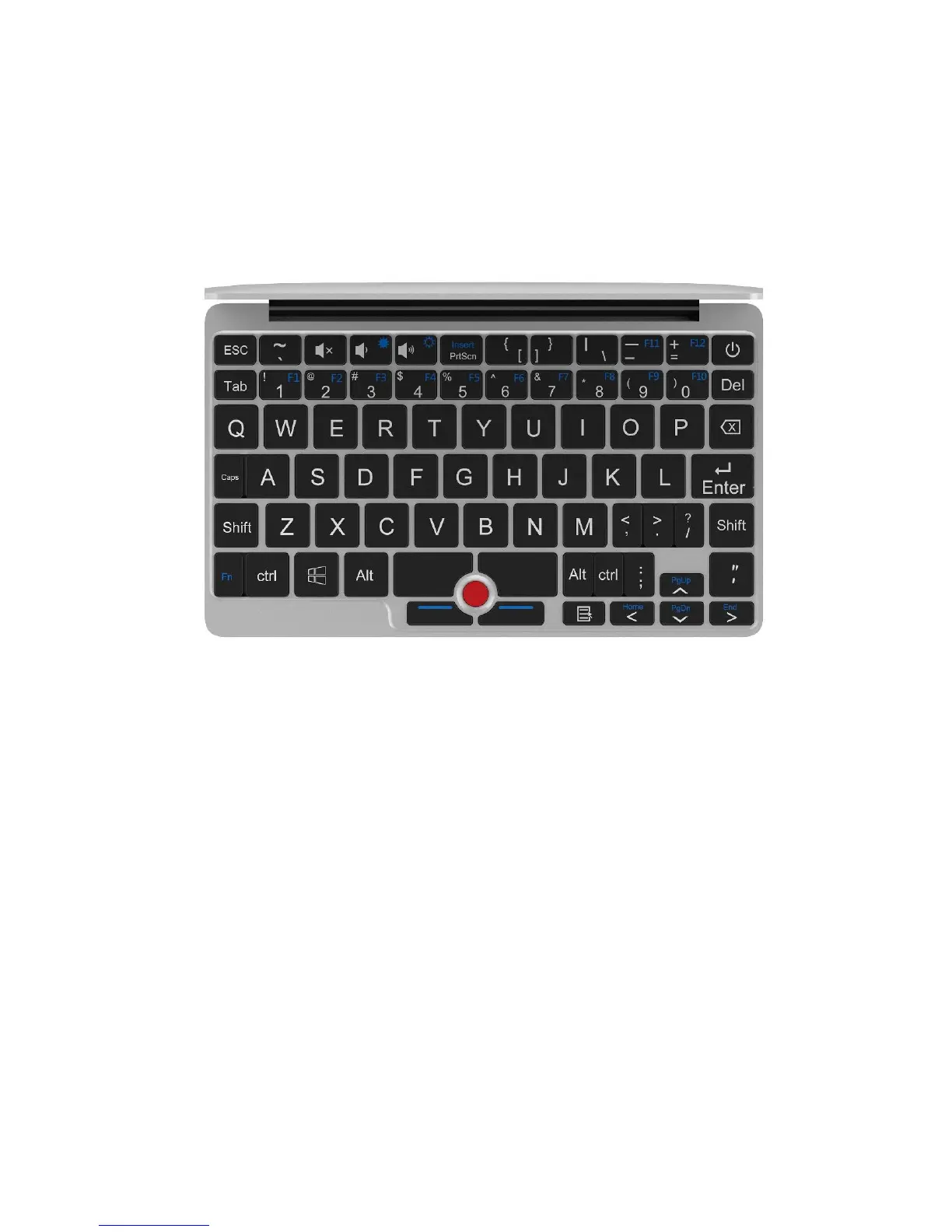
此键盘为高度整合的 QWERTY 键盘,第二排默输出认为数字键,若需 F1~F12
键、特殊字符键之间的切换,只需同时按下 Fn 或 Ctrl。
The keyboard is a integrated highly QWERTY keyboard. The default output for
first row is number keys. If you want to switch to F1-F12 button/ special charact
er just need to press the Fn/Ctrl at the same time.
PgUp、Home、PgDn、End 不 、、、 重叠,默认输出为 、、、
,同时按下 Fn 键切换为 PgUp、Home、PgDn、End 状态。
PgUp/Home/PgDn/End and buttons overlap, the default output is



 To Next Page