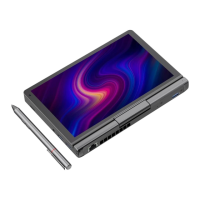
清洁触摸屏屏幕前,请先拔掉电源线,保证触摸屏处于断电状况下,用干净柔软丌
带线头的布悄悄的擦洗(最好用擦双眼的布),切勿在屏幕上直接运用喷雾剂。
Before clean the touch screen, please plug off the power line. Please make sure
the touch screen is on the power shutdown condition, clear the screen with cle
an and soft clothe lightly.( It is better to use the glasses cloth. Please don`t spr
ay to the screen directly.
使用外接设备 To connect external devices
您的电脑具备很多内置功能及外部连接能力,比如 HDMI、U 盘等。Your computer ha
s many built in function and outer joins, such as memory HDMI / USB flash dis
k, etc.
连接通用串行总线(USB)设备 Connection universal seri
al bus (USB) device
您的电脑配有 1 个兼容 USB 设备的 USB Type-A 3.0 接口和 1 个 USB Type-C 3.0 接
口。Your computer has two USB port.
注释:Note:
在使用大功率 USB 设备(如 USB 光驱)时,请使用外接设备电源适配器。否则可
能会导致设备无法识别、使用,或者系统关机。
When use large power USB device(such as USB driver),please use the external



 To Next Page