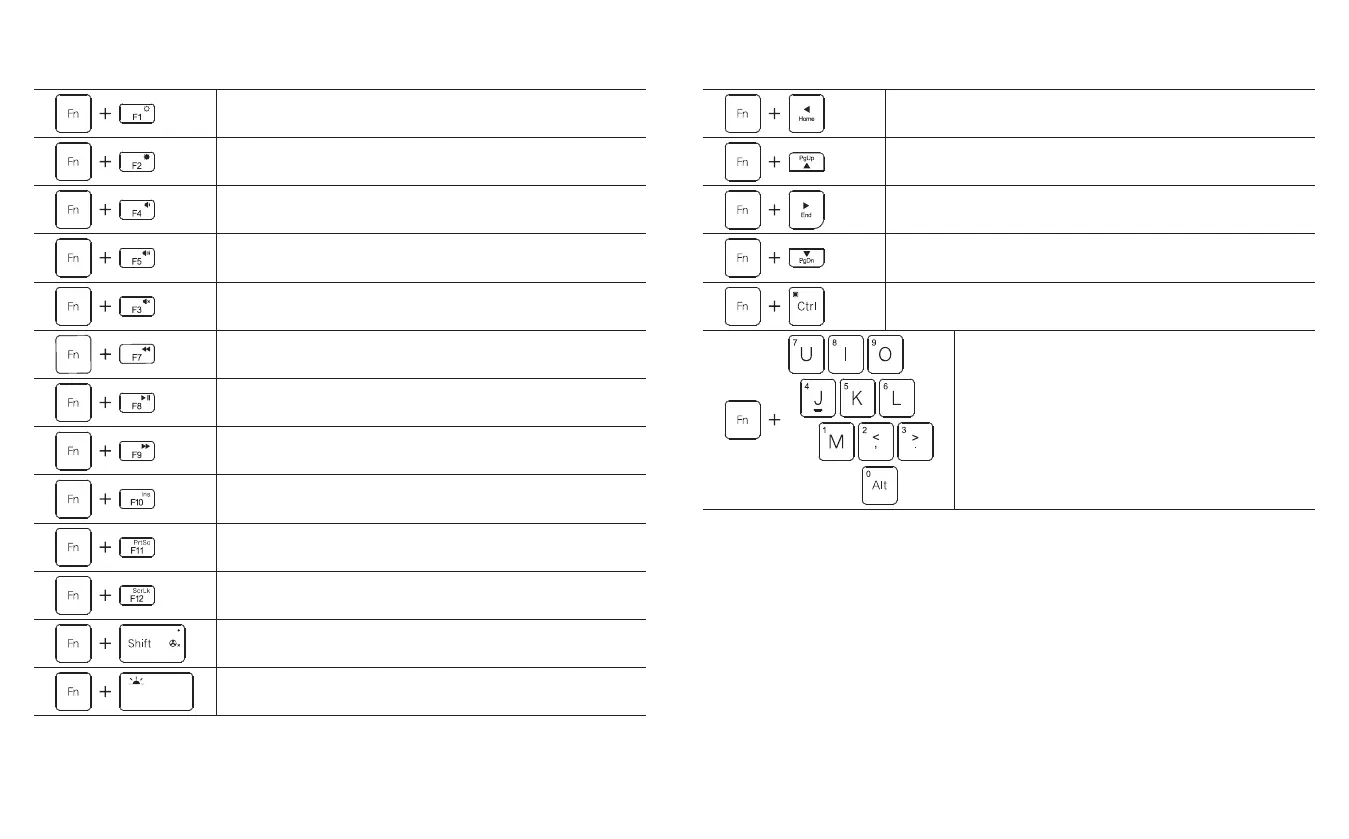
Blue characters of the keyboard are in a hotkey node by default; and through combination with Fn, common tasks can be easily executed.
Function keys of the keyboard
Blue characters of the keyboard are in a hotkey node by default; and through combination with Fn, common tasks can be easily executed.
Function keys of the keyboard
To lower the screen luminance The Home key
The PgUp key
The End key
The PgDn key
Right click for menu popup
To output numerals 0~9 through the keypad
To enhance the screen luminance
Volume down
Volume up
Mute
Standing for “Back or Prev” when playing audio and video
Standing for “Play or Pause” when playing audio and video
Standing for “Forward or Next” when playing audio and video
An insert key
A print screen key
Scrolling-displaying locked
Fan switch
Turning on or off the keyboard backlight
2423



 To Next Page