EasyManua.ls Logo

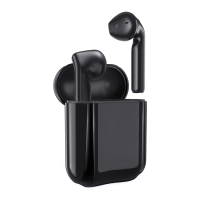
GPED MA10 - User Manual

GPED MA10
11 pages
Print Icon
To Next Page IconTo Next Page
Loading...
Wearing method
Gently slide into ears,
the earbuds tail align with the mouth
Adjust the earbuds to where it
doesn‘t move while wobbling head
Main user interface
A.Charging point
B.Touch button
C.Microphone
D.Charging USB Port
E.Status LED
Start Here
a. Open Charging Dock case,
take out the earbuds
b. Auto power on & pairing
After taking out earbudsthey will
automatically power on and pair to
each other
(Voice Notice: Power on --->TWS
Connected--->Pairing)
Take out
Open
c. Pairing with cellphone
Bluetooth
Turn on Bluetooth
Device name
Available Devices
M10
Available Devices
M10
Open cellphone bluetooth and set it
as Open detection, when “M10”
appears in available devices, press
to connect. The LED flash in Blue
continuously.
(Voice Notice: Connected)
d. Power off
The earbuds will power off after
put them back to the charging
dock.
(Voice Notice: Power off)
Put in
MA10
User Manual
Important Notice for Single Earbud using
Manual pairing
Press twice
L R
a.The earbuds can be used individually
(each earbud pairs to separate
cellphone)
b.Open charging Dock cap,take out
either earbud,wait for 10s,and then
open cellphone bluetooth and set it
as open detection,when “M10”appears
in available devices, press to connect.
The LED flash in Blue continuously.
(Voice Notice: Power on ---> Pairing)
c.It will automatically connect to the
cellphone,if it connected previously.
Basic Parameter
Important Notice
Product NameMA10 Operation range10m
Charging time1.5 hours Call time5 hours
Music Time4 hours Charging Input5V 300mA
Battery TypePolymer Li-Ion Battery
Earbud weight4g+4g
Please make sure the product is fully charged before
initial use.
Please use the brand adaptor complying safety
requirements to charge this product.
If your cellphone can not find M10”, please double
check if your cellphone Bluetooth is at Equipment
visible mode”. After initial pairing,the earbuds will be
automatically paired for repeat use. If no use for a long
time, need to follow up pairing procedures to pair with
the cellphone.
If there is only one earbud has sound while in music
mode, please restart the earbuds or re-pair manually.
Questions & Answers
AnswersReasonsQuestions
earbuds not “power on”
earbuds pairing failure
charging dock LED not
light on while putting
in earbuds
low volume
charging dock
not charging
can’t find earbuds pairing
name or pairing failure
with cellphone
charing protection
earbuds not in
pairing mode
Re-“power on”the earbuds
power off & re-power
on cellphone
celllphone bluetooth
App error
charge the charging Dock
by external power
the volume setting of the
earbuds & cellphone
not synchronized
turn on cellphone bluetooth &
synchronized its volume setting
with the connected earbuds
can’t detect the earbuds
while they are fully changed
it will recover proper indication
after using for a while
program error caused
by mal-operation
power run out
charge the charing
dock & earbuds
Security warning
Please use the product in the temperature between
0 C-45 C. When the enviroment temperature is too high
or low, it may cause the product malfunction.
Please keep the product dry, do not contact water
or humidity enviroment
Please do not drop, throw, pull/drag the product to
prevent damage.
Please power off before clean the product.
Please use the product at proper volume while listenning
music or answering call, long time at high volume usage
could lead to permanent hearing loss.
The built in battery is not dismountable, please do not
replace by yourself. If it's really necessary, please ask
help from authorized service center.
Please dispose the product according to local law, can
not treat it as domestic garbage.
Without adult supervision, please keep the product out of
reach of children, the swallow of small components
included may cause asphyxia.
Warranty
This product is covered under warranty for a period of one
year from the date of purchase limited to normal use and
maintenance of the machine parts, materials and functions.
Problems and failures verified upon fur- ther identification,
will be provided free repair and replacement parts.
Excluding the following:
A. Headset is beyond the warranty period;
B. User does not follow the instructions. so that the
headphone wire and earplug broken.
C. Without the authorization to dismount, repair, alteration
structures;
D. Can’t provide proof of purchase.
E. Man made damage.
F. Due to natural disasters and other force majeure (such as
earthquakes, fires) product failure of damage causes;
Warranty Card
QC Report info
Model #
Inspector
Date
Users name
Users telephone#
Users Add
Date of purchase
Invoice #
Dealers name
Dealers Add
Dealers telephone#
P/N:16-4BA10061F
1stly make sure the earbuds don’t connect any bluetooth
devices.
2ndlyput two earbuds close within 10cm and press & hold
two function buttons for 2s to power on both earbuds.
3rdlypress either function button twice,auto pairing
completed when one LED flashes between red & blue,
the other one is off.
4thlypress & hold either function button for 5s,two earbuds
turn off at the same time,manual pairing completed.
re-pair manually
(pls refer to user manual VII)
Charging
More functions
a.The LED flashes in Red and there is a Voice
Notice when the Battery Power Low.
d.It takes about 1.5h to fully charge the earbuds
and charging dock batteries.
b.Without external power supply, the LED is on
in white while charging and will be off after fully
charged.
c.With external power supply, the LED flash in
blue while charging and will be on in blue
after fully charged.
a.Touch the function button once to answer
calls,touch Funtion Button twice to reject calls.
b.When playing music,To pause,please touch
the function button once;To play the previous
song, please touch and hold 2s for left earbud
function button.To play next song,please touch
and hold 2s for right earbud function button;
c.To increase volume,please touch the function
button of left earbud twice;
To decrease volume,please touch function
button of the right earbud twice;
To activate siri,please touch function button
three times.
Status LED
Charging USB
Function
Button
D
Take out
Notice before using
a
b
Remove stickers
Put back
Take out
(use the right one
as example)
物料编号:16-4BA10061F
名 称:MA10-英文说明书
规 格:70*108mm 共6P,70g书纸 单色印刷,风琴折
日 期:2020年5月9日
420mm
108mm
(Optional,please ignore if no
stickers here)
FCC ID:2AXLX-MA10
Question and Answer IconNeed help?

Do you have a question about the GPED MA10 and is the answer not in the manual?

Summary

Notice before using

Taking out and returning earbuds

Instructions for removing earbuds from and returning them to the charging case.

Removing protective stickers

Guide on removing protective stickers from the earbuds before first use.

Wearing method

Proper earbud fit

How to gently slide earbuds into ears and adjust for a secure fit.

Main user interface

Earbud and charging dock components

Identifies key components like charging points, touch buttons, microphone, USB port, and status LED.

Getting Started: Power and Pairing

Initial setup: Taking out earbuds

Steps to open the charging dock and remove the earbuds.

Automatic power on and pairing

How earbuds automatically power on and pair with each other.

Pairing with a cellphone

Instructions to connect the earbuds to a smartphone via Bluetooth.

Powering off the earbuds

How to turn off the earbuds by placing them back in the charging dock.

Charging the earbuds and dock

Charging indicators and battery status

Explains LED indicators for charging status and battery level.

Charging time and input

Details the time required for a full charge and charging input specifications.

Advanced functions and controls

Call management controls

How to answer and reject calls using the touch function button.

Music playback controls

Instructions for pausing, playing, and skipping tracks.

Volume and voice assistant control

How to adjust volume and activate Siri with touch controls.

Single Earbud Usage Guide

Individual earbud operation

Explains that earbuds can be used individually.

Pairing a single earbud

Steps to pair a single earbud with a cellphone.

Automatic reconnection

How previously connected single earbuds reconnect automatically.

Manual pairing procedure

Steps for manual pairing

Detailed instructions for manually pairing the earbuds.

Safety and Precautions

Warranty Information

Overview

This document describes the MA10, a pair of wireless earbuds designed for audio playback and calls, featuring a charging dock for convenience and extended use. The manual outlines the initial setup, wearing instructions, user interface, pairing procedures, charging, and additional functions, along with important notices, troubleshooting, security warnings, and warranty information.

Function Description

The MA10 earbuds are primarily designed for wireless audio playback and hands-free communication. They connect to a cellphone via Bluetooth, allowing users to listen to music, answer calls, and interact with voice assistants. The earbuds come with a charging dock that not only stores them but also recharges their internal batteries, providing portability and extended usage time. The system supports both stereo (two earbuds) and mono (single earbud) usage, offering flexibility depending on the user's needs.

Usage Features

Initial Setup and Wearing:

Before first use, users are instructed to remove any protective stickers from the earbuds. The wearing method involves gently sliding the earbuds into the ears, ensuring the tail aligns with the mouth, and adjusting them for a secure fit that doesn't move during head wobbling. This ensures optimal sound delivery and microphone positioning.

User Interface:

The earbuds feature a charging point (A), a touch button (B) for various controls, a microphone (C) for calls, and status LEDs (E) to indicate operational status. The charging dock includes a USB port (D) for external charging.

Power On and Pairing:

  • Auto Power On & Pairing: To begin, users open the charging dock case and take out the earbuds. The earbuds automatically power on and pair with each other. A voice notice confirms "Power on," "TWS Connected," and "Pairing."
  • Pairing with Cellphone: Users then open their cellphone's Bluetooth settings and enable "Open detection." When "M10" appears in the list of available devices, selecting it will connect the earbuds. The LED on the earbuds will flash blue continuously, and a voice notice will confirm "Connected."
  • Power Off: To power off the earbuds, they are simply placed back into the charging dock. A voice notice will confirm "Power off."

Single Earbud Usage:

The MA10 earbuds can be used individually, with each earbud capable of pairing to a separate cellphone. To use a single earbud, the user opens the charging dock cap, takes out one earbud, waits for 10 seconds, then opens the cellphone's Bluetooth and sets it to "open detection." When "M10" appears, they press to connect. The LED will flash blue continuously, and a voice notice will confirm "Power on" and "Pairing." If the earbud was previously connected, it will automatically reconnect to the cellphone.

Manual Pairing:

In situations where automatic pairing fails or a fresh pairing is needed, manual pairing steps are provided:

  1. Ensure the earbuds are not connected to any Bluetooth devices.
  2. Place both earbuds within 10cm of each other and press and hold both function buttons for 2 seconds to power them on.
  3. Press either function button twice. Auto-pairing is complete when one LED flashes between red and blue, and the other earbud's LED is off.
  4. To turn off the earbuds manually after pairing, press and hold either function button for 5 seconds; both earbuds will turn off simultaneously.

More Functions (Touch Button Controls):

The touch button on the earbuds offers a range of controls:

  • Call Management: Touch once to answer calls; touch twice to reject calls.
  • Music Playback: Touch once to pause music. To play the previous song, touch and hold the left earbud's function button for 2 seconds. To play the next song, touch and hold the right earbud's function button for 2 seconds.
  • Volume Control: To increase volume, touch the left earbud's function button twice. To decrease volume, touch the right earbud's function button twice.
  • Voice Assistant: Touch the function button three times to activate Siri (or other voice assistants).

Maintenance Features

Charging:

The MA10 earbuds and their charging dock are designed for convenient recharging.

  • Low Battery Indication: When the earbud battery is low, the LED flashes red, and a voice notice indicates "Battery Power Low."
  • Earbud Charging (without external power): When earbuds are placed in the charging dock without the dock being connected to an external power source, the LED on the earbuds will be white while charging and turn off when fully charged.
  • Earbud and Dock Charging (with external power): When the charging dock is connected to an external power supply, the LED will flash blue while charging and remain solid blue when fully charged.
  • Charging Time: It takes approximately 1.5 hours to fully charge both the earbuds and the charging dock batteries.

Important Notices and Security:

  • Initial Charge: Users are advised to ensure the product is fully charged before initial use.
  • Adaptor Use: Only brand adaptors complying with safety requirements should be used for charging.
  • Bluetooth Visibility: If the cellphone cannot find "M10," users should double-check that their cellphone's Bluetooth is in "Equipment visible mode." After initial pairing, the earbuds will automatically pair for repeat use. However, if unused for a long time, re-pairing procedures may be necessary.
  • Mono Sound Issue: If only one earbud has sound during music playback, users should restart the earbuds or re-pair them manually.
  • Temperature Range: The product should be used within a temperature range of 0°C to 45°C. Extreme temperatures can cause malfunction.
  • Environmental Protection: Keep the product dry and avoid contact with water or humidity.
  • Physical Handling: Do not drop, throw, pull, or drag the product to prevent damage.
  • Cleaning: Power off the product before cleaning.
  • Hearing Safety: Use the product at a proper volume. Prolonged use at high volumes can lead to permanent hearing loss.
  • Battery: The built-in battery is not user-dismountable. If replacement is necessary, users should seek help from an authorized service center.
  • Disposal: Dispose of the product according to local laws; do not treat it as domestic garbage.
  • Child Safety: Keep the product out of reach of children, as small components could pose a choking hazard.

Warranty:

The product comes with a one-year warranty from the date of purchase, covering normal use and maintenance of parts, materials, and functions. Verified problems and failures will receive free repair and replacement parts. The warranty does not cover:

  • Headsets beyond the warranty period.
  • Damage due to user non-compliance with instructions (e.g., broken headphone wire or earplug).
  • Unauthorized disassembly, repair, or alteration.
  • Lack of proof of purchase.
  • Man-made damage.
  • Damage caused by natural disasters or other force majeure events (e.g., earthquakes, fires).

GPED MA10 Specifications

General IconGeneral
Driver Size40mm
Impedance32Ω
Frequency Response20Hz - 20kHz
Driver UnitDynamic
MicrophoneYes
Ear CouplingCircumaural