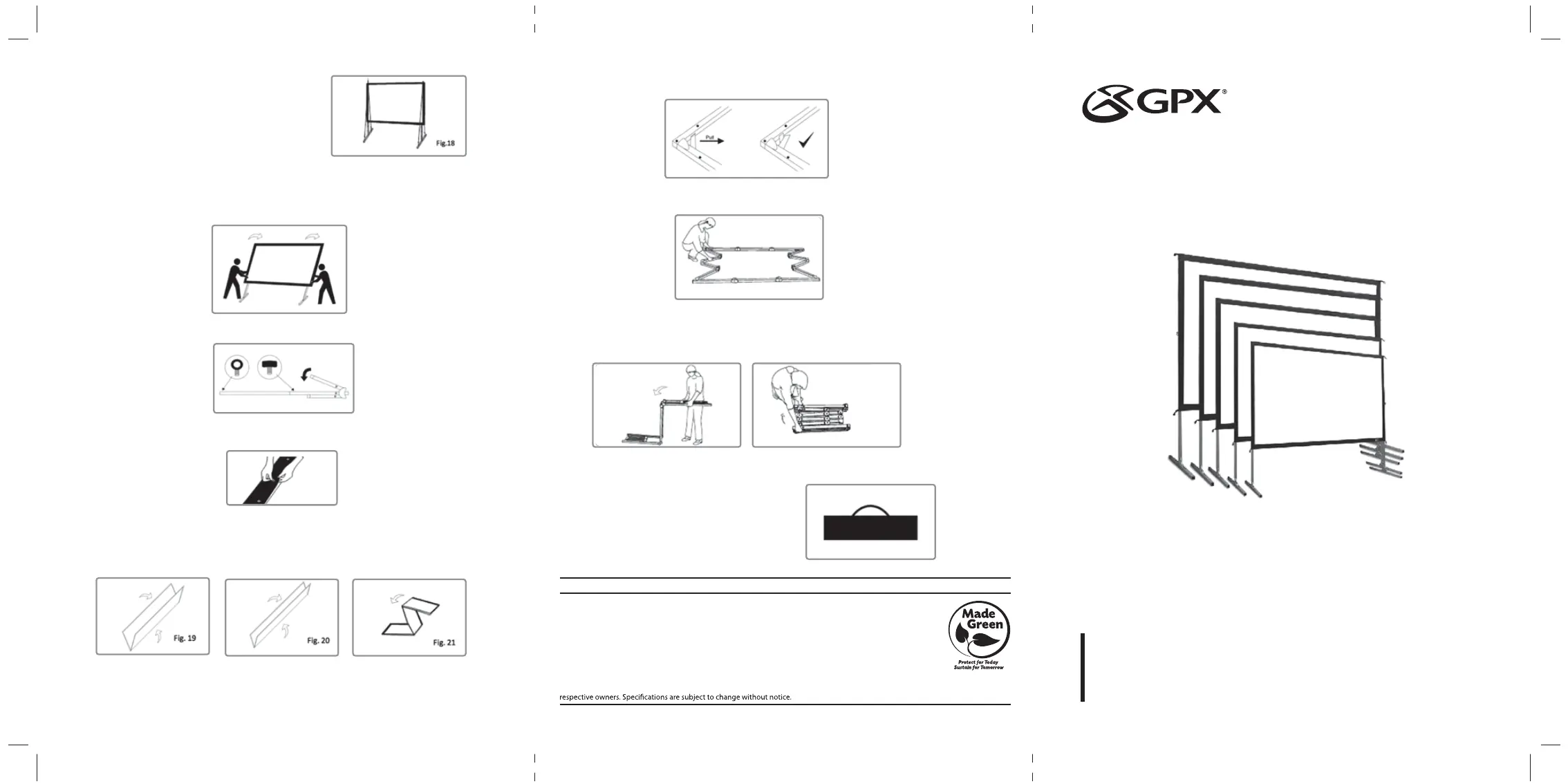
8. To secure the frame, place a stake (I) into each hole located
on the frame footing, and hammer it into the ground. Finally,
tie the 4 ropes (G) to the stakes to prevent the screen from
tilting or failing over. As shown in fig. 18.
Screen Disassembly
1. Remove ropes (G) and stackes (I) from the ground.
2. Unlatch the hinged support bars on front side of each leg so that it is bent and fold that half of the legs
up for the next step.
3. Slowly lower the screen to the ground (towards the closed legs). Two people are needed for this step.
4. Unlatch the hinged support bars and fold down other half of legs.
5. Loosen and remove the ropes, knob screws (E) and eye bolts (F) from each leg.
6. Remove the frame legs (B) from the folding frame (A).
7. Detach the screen material (D) from the folding frame (A) by carefully unsnapping each button as
shown.
9. Unlatch the hinged support bars in each corner of the folding frame (A).
10. Press in the silver locking buttons, near the folding joints, and slowly gather the sides of the frame.
11. Again, press in the silver locking buttons. Then, pick up one end of the folding frame, and walk it to
the other end, folding the longer sections into thirds.
12. Store the screen in the provided carrying bag (H). Be sure
to place folding frame, legs, and smaller parts into the
carrying bag first and place the material on top to keep
material from creasing or tearing.
8. Fold the screen material (D) in half, folding the bottom of the screen towards the top. Then, fold in half
again in the same way. Lastly, fold the material into thirds to condense the length, see Fig. 19-21.
• If you prefer to roll the material, instead of folding into thirds, roll from one end to the other after
folding in half twice.
4
INDOOR/OUTDOOR
PROJECTOR SCREEN
User’s Guide for Model PJS709 / PJS909
For the most up-to-date version of this User’s Guide, go to www.gpx.com
To download this User’s Guide in English, Spanish, or French, or to get answers to frequently asked questions,
visit the support section at: www.gpx.com
Para descargar este Manual del Usuario en inglés, español y francés, o para obtener respuestas a preguntas
frecuentes, visite la sección de apoyo en: www.gpx.com
Pour télécharger ce guide de l’utilisateur en anglais, espagnol ou français, ou pour obtenir des réponses à
des questions fréquemment posées, consultez la rubrique d’assistance sur: www.gpx.com
For Warranty Information and the most up-to-date version of this User’s Guide, go to www.gpx.com
Customer Service: 1-888-999-4215 | Email Support: prodinfo@dpiinc.com | Email Parts: partsinfo@dpiinc.com
Copyright © 2019 Digital Products International (DPI, Inc.) All other trademarks appearing herein are the property of their
International Support



 To Previous Page
 Loading...