
 Need help?
Do you have a question about the GRAMMER OFFICE GLOBEline and is the answer not in the manual?
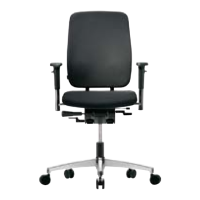
Pull left lever for adjustment, press to release synchronous mechanism for dynamic seating.
Pull right lever to raise or lower seat height on an infinitely variable scale.
Hold front lever and move seat with bottom for desired position (7 positions).
Press rear left lever to adjust negative seat inclination (up to -3°).
Pull outwards regulator to adjust weight; turn lever for lighter (-) or tighter (+) mechanism.
Adjust height (11/8/7 positions) via button, width via lever, and rotation/depth of pads.
Set lumbar support depth by turning the knob on the right beneath the backrest.
Hold button on lower right of backrest to move into desired position (7 locking positions).
Adjust neckrest height by moving it up/down; set angle by moving the pad.
Load-controlled braking mechanism; wheels differ in color for textile vs. hard floors.
 General
| Category | Indoor Furnishing |
|---|---|
| Product Type | Office Chair |
| Model | GLOBEline |
| Brand | GRAMMER OFFICE |
| Adjustable Height | Yes |
| Swivel | Yes |
| Wheels | Yes |
| Weight Capacity | 120 kg |
| Material | Fabric |

 To Next Page