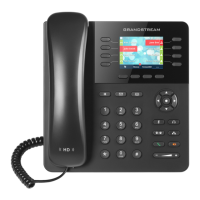
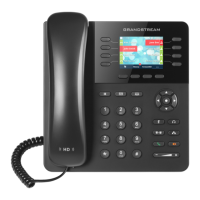
Quick Start Guide - Grandstream GXP2135
Blind Transfer
During an acve call, press the Transfer buon or
the Transfer so key and enter the extension number of the
person you want to transfer the call to, followed by Blind-
Trnf or Send
Aended Transfer
During an acve call, press the Transfer buon and
enter the extension number of the person you want to
transfer the call to, then select the .. So key followed by
AnTrnf. If the recipient accepts the call press the Transfer
so key.
Call Park
During an acve call, press a Park buon, OR enter *5 and
listen for the call park posion. To unpark the call, press the
Park buon again OR enter the call park posion number
followed by the Dial so key.
Place a Call on Hold
During an acve call, press the Hold buon. To
resume the call, press the Hold buon again or press
the ashing line key of the call you wish to take o hold.
Do Not Disturb
Press the Mute/Do Not Disturb buon.
Page all Phones Only
Dial 77007, press Send .
Page Overhead Only
Dial 77009, press Send .
Page all Phones and Overhead
Press the Page so key.
Page an Extension
Dial 6xxxx (xxxx=4-digit extension) or 60xxx (xxx=3-digit
extension), press Send .
Zone Paging
Dial 7800x (x being the page zone).
Answer Ringing Extension from a Dierent
Handset
Dial 4xxx (xxx=ringing extension).
Call Queue Agent Login/Logout
Dial 88008, press Send .
Send Call Directly to Voicemail
Press the Transfer buon, enter 31xxx
(xxx=extension), and press the Transfer buon.
Manage Voicemail from Another Handset
Dial 21xxx (xxx=extension), Send .
Leave Voicemail Directly at Another Handset
Dial 31xxx (xxx=extension), Send .
Retrieve Voicemail
Press the Messages buon and follow the prompts.
Record Unavailable Message
Press the Messages buon, select opon 0, then
opon 1, and follow the prompts.
Three-way Conference Call
During an acve call, press the Conference buon,
and dial the third party number followed by the Send
buon or Dial so key. When the third party answers, press
the ConfCall so key to begin the three-way conference.
To hold the conference, press the Hold buon. To
resume the conference, press the Reconf so key.
Conference Bridge
Dial 88001, press Send .
Hot Desking/Hoteling
Dial 87xxx (xxx=extension), press Send .
Viewing Call Lists
Press the History so key on the home screen to access the
call history. A label at the top of the screen idenes the
type of call, from All calls to Answered, Dialed, Missed, or
Transferred calls only. Use the navigaon arrow keys to
scroll vercally and horizontally through the lists.
Forward All Calls
Press the .. (more) so key followed by the ForwardAll so
key. Enter the ext ension or telephone number where you
would like calls forwarded to and press the Ok so key. To
cancel call forwarding, press the .. (more) so key, followed
by the CancelFwd so key.


 To Next Page
 Loading...