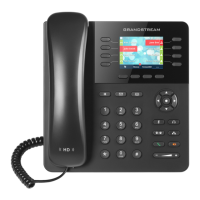
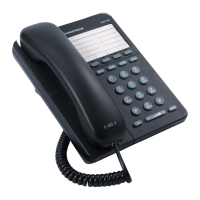
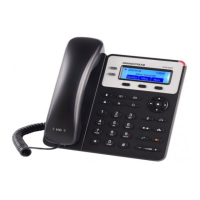
Dial Codes
Enter the code (and extension where applicable) followed
by the Dial or Send so key. Except where noted, the xxx in
all codes below represents a 3-digit extension number.
611 – NEWT Support
911 - Emergency
38000 – Manage alternate dial sequence (Alt DS)
77007 – Page all phones only
77008 – Page all phones and overhead
77009 – Page overhead only
60xxx – Page an extension
xxx – Dial an extension
5xxx – Intercom to an extension
4xxx – Answer a ringing extension from a dierent phone
88008 – Call queue agent login/logout
21xxx – Manage voicemail from another phone
31xxx – Leave voicemail at another extension
88001 – Access to conference bridge
7800x – Zone paging, if enabled (x=page zone)
89xxx – Remote call queue agent login/logout
86000 – Cell phone to Polycom handset transfer. The
extension must have the “Find me Follow me” feature
enabled.
Star Codes
The following star codes are used during an acve call. Enter
the applicable code (and extension where applicable)
followed by the Dial or Send so key. Except where noted,
the xxx in all codes below represents a 3-digit extension
number.
*6xxx – Aended transfer
*7xxx – Blind transfer
*731xxx – Voicemail transfer
*5 – Park a call. To unpark the call, press the number of the
posion where the call is parked followed by the Dial so
key.
*67 xxx-xxx-xxxx – Call blocking (xxx-xxx-xxxx=phone
number being blocked)
NEWT Support Resources
To reach NEWT Technical Support:
• Dial 611 from a NEWT PBX phone
• Call Toll Free 877-777-7118
• Email newtsupport@bernecs.ca
For access to NEWT PBX documentaon and FAQs,
remember to sign up for Customer Portal access at
s.bernecs.ca.
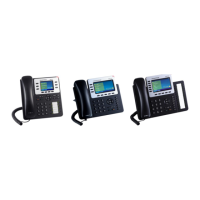
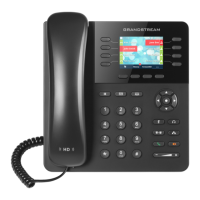
Quick Start Guide - Grandstream GXP2135


 To Previous Page
 Loading...