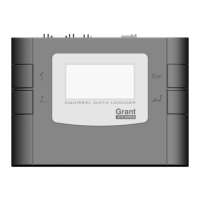
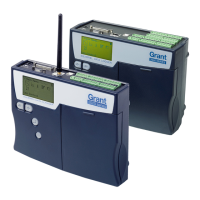
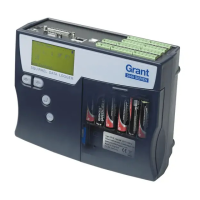
The Grant Squirrel Data Logger GSM Modem is an accessory designed to enable remote data acquisition from Squirrel SQ2010, SQ2020, and SQ2040 data loggers via a GSM network. This "Getting Started" guide outlines the equipment, setup, and LED status indicators for the modem, facilitating its integration with existing Squirrel data logging systems.
Function Description:
The primary function of the Grant Squirrel Data Logger GSM Modem is to provide wireless communication capabilities for compatible Squirrel data loggers. By connecting the modem to a Squirrel logger, users can remotely access and retrieve logged data over a GSM cellular network. This eliminates the need for direct physical connection to the logger for data download, making it ideal for applications where loggers are deployed in remote or difficult-to-access locations. The modem acts as an intermediary, transmitting data from the logger to a central monitoring station or computer running the Squirrel View software. This remote access capability enhances the flexibility and efficiency of data acquisition operations, allowing for timely data retrieval and monitoring without on-site visits.
Important Technical Specifications:
While specific detailed technical specifications like frequency bands, power consumption, or data transfer rates are not explicitly listed in the provided pages, the manual highlights key operational aspects:
- Compatibility: The modem is specifically designed for use with Grant Squirrel SQ2010, SQ2020, and SQ2040 data loggers.
- Connectivity: It utilizes a GSM network for data transmission, requiring a suitable date-enabled SIM card.
- Interfaces: The modem features an RS232 port for connection to the data logger, a power input port, and an antenna connection. A USB lead is included but noted as "currently not used," suggesting potential future functionality or alternative connection methods not yet implemented.
- Power Requirement: The Squirrel data logger must be powered via its external power input for the GSM modem to operate, indicating that the modem draws power from the logger's external supply rather than having an independent power source or relying solely on the logger's internal battery.
- LED Status Indicator: A red LED on the Fastrack Xtend Modem provides visual feedback on its operational status, including power on, network registration, connection status, and potential software issues.
Usage Features:
The setup process for the GSM modem is straightforward, involving several key steps:
- SIM Card Insertion: A suitable date-enabled SIM card must be inserted into the modem. The process involves pushing the SIM card, circuit side up, into the SIM holder until a clicking sound is heard, indicating it's securely in place.
- SIM Lock: A SIM lock switch is provided to secure the SIM card once inserted, preventing accidental dislodgement.
- Antenna Connection: The external antenna is connected to the modem's antenna connection port to ensure optimal signal reception.
- RS232 Cable Connection: An RS232 cable connects the modem to the Squirrel data logger, establishing the data communication link between the two devices.
- Power Connection: A power cable connects the modem, the logger, and an external power input. It's crucial to note that the Squirrel data logger must be powered externally for the GSM modem to function. For loggers manufactured before 2005, a different power cable may be required, and users are advised to contact Grant Instruments for more information.
- Power-Up Sequence: The guide emphasizes not connecting power to the modem until all other connections are made. Once powered, the LED status indicator provides immediate feedback on the modem's operational state.
Maintenance Features:
While the manual primarily focuses on initial setup, it implicitly touches upon maintenance through its troubleshooting and information resources:
- LED Status Indicator for Diagnostics: The red LED on the modem serves as a crucial diagnostic tool. Its various flashing patterns and states (permanently lighted, flashing slowly, flashing rapidly, very quick flash, or off) indicate different operational conditions, such as:
- Permanently lighted: Modem is ON but not registered in the network.
- Flashing slowly (200ms ON, 2s OFF): Modem is ON and registered in a network (Idle mode).
- Flashing rapidly (200ms ON, 600ms OFF): Modem is ON and registered in a network (Non-Connected mode).
- Very quick flash (100ms ON, 200ns OFF): Modem is ON, but the downloaded software is either corrupted or non-compatible ("BAD SOFTWARE").
- OFF: Modem is either switched OFF, or the Flash LED has been disabled by the user.
This allows users to quickly identify the modem's status and troubleshoot basic connectivity issues without needing specialized equipment.
- Documentation and Support: The manual directs users to additional resources for further information, including:
- "SIM card and GSM configuration" Hints and Tips on the Accessory Support page of the Grant website.
- "GSM optimisation and connection" guide on the Technical Tips page of the Grant website.
These resources are vital for ongoing maintenance, configuration, and troubleshooting, ensuring optimal performance and addressing potential issues related to SIM card setup, network connectivity, and software configuration.
- Contact Information: Grant Instruments provides contact details (Tel, Email, Fax) for direct support, which is essential for more complex issues or when specific parts (like power cables for older loggers) are required.
In summary, the Grant Squirrel Data Logger GSM Modem is a robust solution for extending the capabilities of Squirrel data loggers, enabling remote data acquisition and enhancing operational flexibility. Its user-friendly setup, clear LED diagnostics, and comprehensive support resources contribute to its ease of use and maintainability in various data logging applications.

 Need help?
 General

 To Next Page