13
Disconnect the power tool from power supply.
● Hold the xing sleeve (2) of the SDS-Max chuck (1) and overcome the spring resistance to pull it to the
back.
Insert working tool shank into the chuck and slide it to mechanical stop (it may be necessary to turn the ●
working tool so it can reach appropriate position) (g. B).
Release the xing sleeve ( ● 2), it will nally lock the working tool.
Working tool is properly seated if it cannot be removed without pulling o the xing sleeve. ●
If the xing sleeve does not return to its default position, remove the working tool and repeat the ●
whole operation.
High eciency of the demolition hammer operation can be achieved by using sharp and undamaged
working tools.
Just after the operation is nished, the working tool may be hot. Avoid direct contact and use
appropriate protective gloves. Clean the working tool after removal.
OVERLOAD CLUTCH
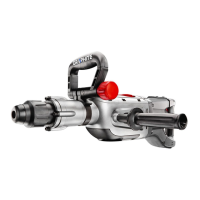
Hammer drill is equipped with factory set overload clutch. Spindle of the hammer drill stops immediately
after working tool jams, which otherwise could overload the power tool.
OPERATION / SETTINGS
SWITCHING ON / SWITCHING OFF
The mains voltage must match the voltage on the rating plate of the hammer.
Switching on – press the switch button (7) and hold in this position.
Switching o – release pressure on the switch (7).
Locking the switch (continuous operation)
Switching on:
Press the switch button ( ● 7) and hold in this position.
Press the switch lock button ( ● 6) (g. C).
Release pressure on the switch button ( ● 7).
Switching o:
Press and release the switch button ( ● 7).
Do not use the hammer drill when the switch is faulty.
VOLTAGE INDICATOR
When the tool is connected to the mains socket, the voltage connection indicator (9) will be lit.
WHEEL FOR ROTATIONAL SPEED CONTROL
You can control rotational speed of the motor by turning and setting the wheel for rotational speed control (8) in
desired position. It allows to adjust the working speed to match characteristics of processed material. Rotational
speed control range is 1 to 6.
The greater the number on the rim of the wheel for rotational speed control (8) (g. D), the greater the tool
operation speed.
OPERATION MODE SWITCH
The hammer drill is equipped with a 2-function switch of the working mode (5). Depending on its setting,
an impact drilling or chiselling is possible. The impact drilling and chiselling requires to slightly press the
hammer drill. Too great pressure would cause unnecessary, excessive load of the motor. Check technical
condition of the working tools regularly. Sharpen or replace working tools when needed.


 To Next Page