With another tap on the DEC button (down arrow) at the bottom of the display you can change
from the second display of “BALANCE” menus to the third:
PM 01:37:37
BALANCE
0.0mΩ
1N 4.124VAUTO
4.116Vc
0.040Vr
1N 2N 3N 4N
5N
6N
8N
7N
4.124v 4.108v 0.016v
In this third display of “BALANCE” menu are shown graphically, the actual cell
voltages of the battery packs connected to the CH1 and CH2 balancer.
PM 01:37:37
BALANCE
0.0mΩ
1N 4.124VAUTO
4.116Vc
0.010Vr
1N 2N 3N 4N
5N
6N
8N
7N
4.124v 4.108v 0.016v
3
3
5
6
1
2
4
1 Numerical display of the lowest and highest cell voltage and the voltage
difference
2 Graphical representation of the cell voltages of the connected battery pack
3 Vc = Voltage center (the center line voltage value actually assigned)
4 Vr = Voltage range (vertical range of the voltage display)
5 It is possible to switch between “AUTO” and “MANUAL” just by tapping.
In“manual” mode are “3” and “4” also manually settable.
6 Actual cell voltage of “cell 1” can be scrolled through the values of the indi-
vidual cells by tapping.
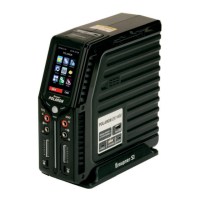
After pressing the ENTER button at the bottom right in one of the displays of the “BALANCE”
menu the Graupner polaron EX-1400 charger starts to check respective cell charge of the lithium
battery connected to the balancer output and then to balance:
PM 01:37:54
0.0mΩ
1N 4.124VAUTO
4.116Vc
0.040Vr
1N 2N 3N 4N
5N
6N
8N
7N
4.124v 4.108v 0.016v
Balance
The labeling of the display changes to “Balance” and the height of the bars
begins to align gradually.


 To Next Page
 Loading...