Touch Calibration
3 touches left
Touch the center of
‘+‘ icon for calibration
Step 1 of 3
Touch Calibration
2 touches left
Touch the center of
‘+‘ icon for calibration
Step 2 of 3
Touch Calibration
3 touches left
Touch the center of
‘+‘ icon for calibration
Step 3 of 3
Touch Screen
Calibration [ OK ]
Pls touch the screen
The Charger will
restart automatically.
After the last time tapping the cross, calibration is complete and it appears this
window.
So tap on the screen to complete the process.
Display “3. Resource Update“
Press the button.
Download Start
< Warning !!! >
NO NOT TURN OFF
THE POWER.
RESOURCE UPDATE
<Image & Sound>
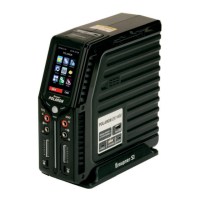
Smart BMS *POLARON*
After recalling up this display, you can transfer, if required, the image and
sound les from the PC to the memory of the charger. The necessary les and
update instructions can be found on the website www.graupner.de on the prod-
uct page under Download.
NOTE
At the same place you will also nd the necessary les and informa-
tion for a rmware update.
Display “4. BLC Port Test“
*** BLC Port Test ***
Testing BLC Port ...
Smart BMS *POLARON*
After calling up this display, the adjacent window appears. Further features are
only accessible by authorized service.


 To Next Page
 Loading...