47
Firmware update
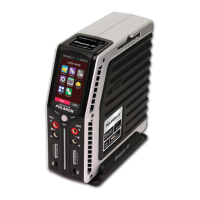
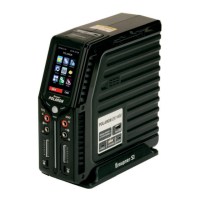
Firmware updates for your Graupner polaron EX-1400 charger can be made through the built mi-
ni-USB port at the top of the charger from a PC or laptop with Windows XP, Vista, 7 or 8 OS.
For the necessary programs and les to update the charger see in the product Download page on
the web site www.graupner.de.
Download the required software from the Internet and extract it on your PC or laptop. For details,
refer to the instructions provided with the software package documentation.
Connect the switched charger through the supplied USB cable (USB A to mini-B USB 5-pin) to
your PC or laptop by plugging one end of the USB cable directly into the 5-pin mini-USB to the
charger upper port and the other end into an available USB port on your computer.
Start the previously unzipped program “Firmware_Upgrade_grStudio” in version 3.9 or higher.
Click afterwards in the “Chargers” to “Polaron Chargers Upgrade”. In the right - larger - part of the
program, will appear the following window:
Click on the button “Open File” and
select, in the Explorer window that
appears, in the folder in which the
previously downloaded and unzipped
rmware les, ending with “... .bin”, are
located:
Open the le you may deem suitable
with a double click ...
… And afterwards follow the instructions displayed below
in the update program row.


 To Next Page
 Loading...