33
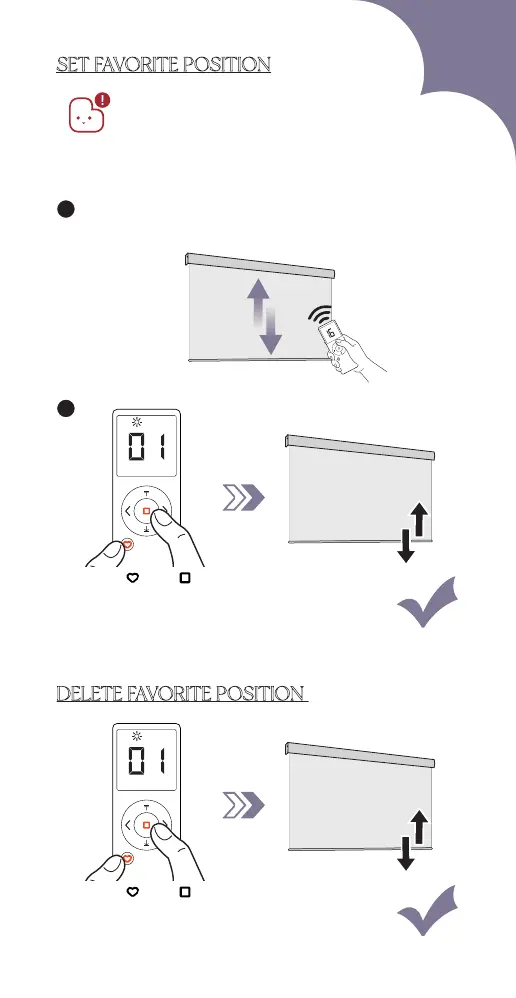
SET FAVORITE POSITION
1. The favorite position is not set at factory.
2. Before setting the favorite running position,
please make sure the top and bottom limit
positions are already set.
3. Please ensure the remote is in setting mode
before doing steps below:
2
1
Run the blind to favorite position you want to set
(except fully open and fully closed)
Blind jogs 2xPress " " & " "
Blind jogs 1x
DELETE FAVORITE POSITION
Press " " & " "



 To Next Page