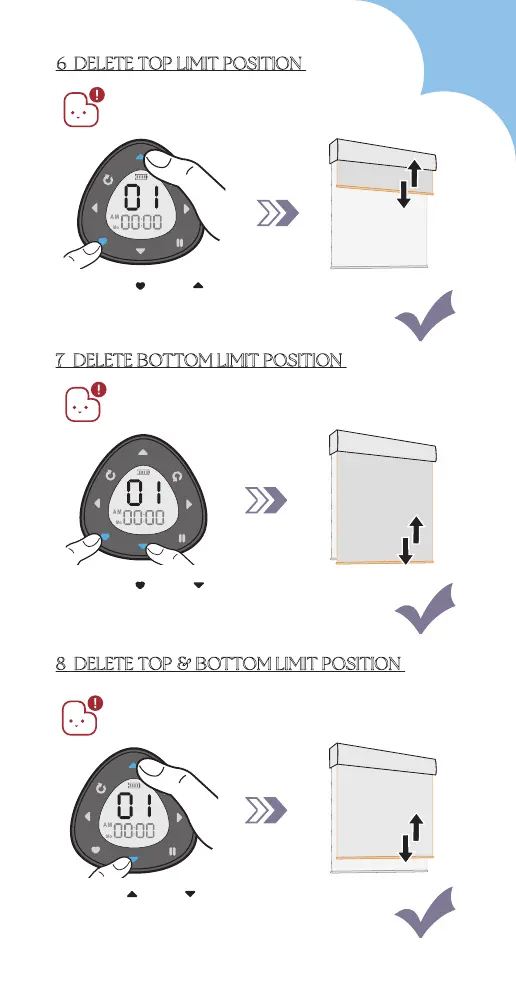
Press " " & " "
6 DELETE TOP LIMIT POSITION
8 DELETE TOP & BOTTOM LIMIT POSITION
7 DELETE BOTTOM LIMIT POSITION
Please ensure the remote is in setting mode
before doing steps below:
Please ensure the remote is in setting mode
before doing steps below:
Blind jogs 1x
Press " " & " "
Blind jogs 1x
Press " " & " "
Blind jogs 1x
1. The favorite position will also be deleted.
2. Please ensure the remote is in setting mode
before doing steps below:
43



 To Next Page