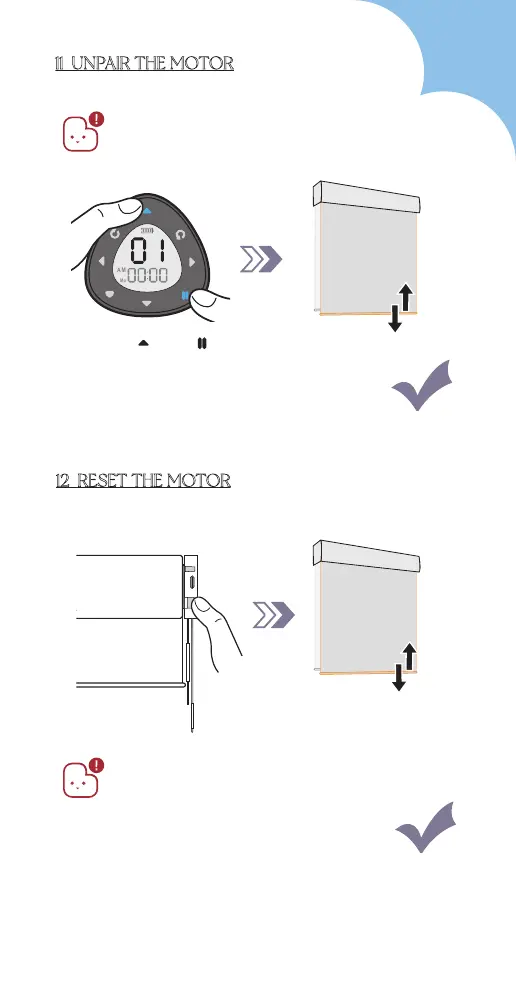
11 UNPAIR THE MOTOR
1. Please ensure the remote is in setting
mode before doing steps below:
2. After doing this, all paired remotes will
lose connection with the motor.
Blind jogs 1x
Press " " & " "
Hold for 16s
Blind jogs 4x
12 RESET THE MOTOR
Zigbee & Ble Battery Motor will enter in
sleep mode after being reset.
Please unlock before repairing.
45



 To Next Page