EasyManua.ls Logo

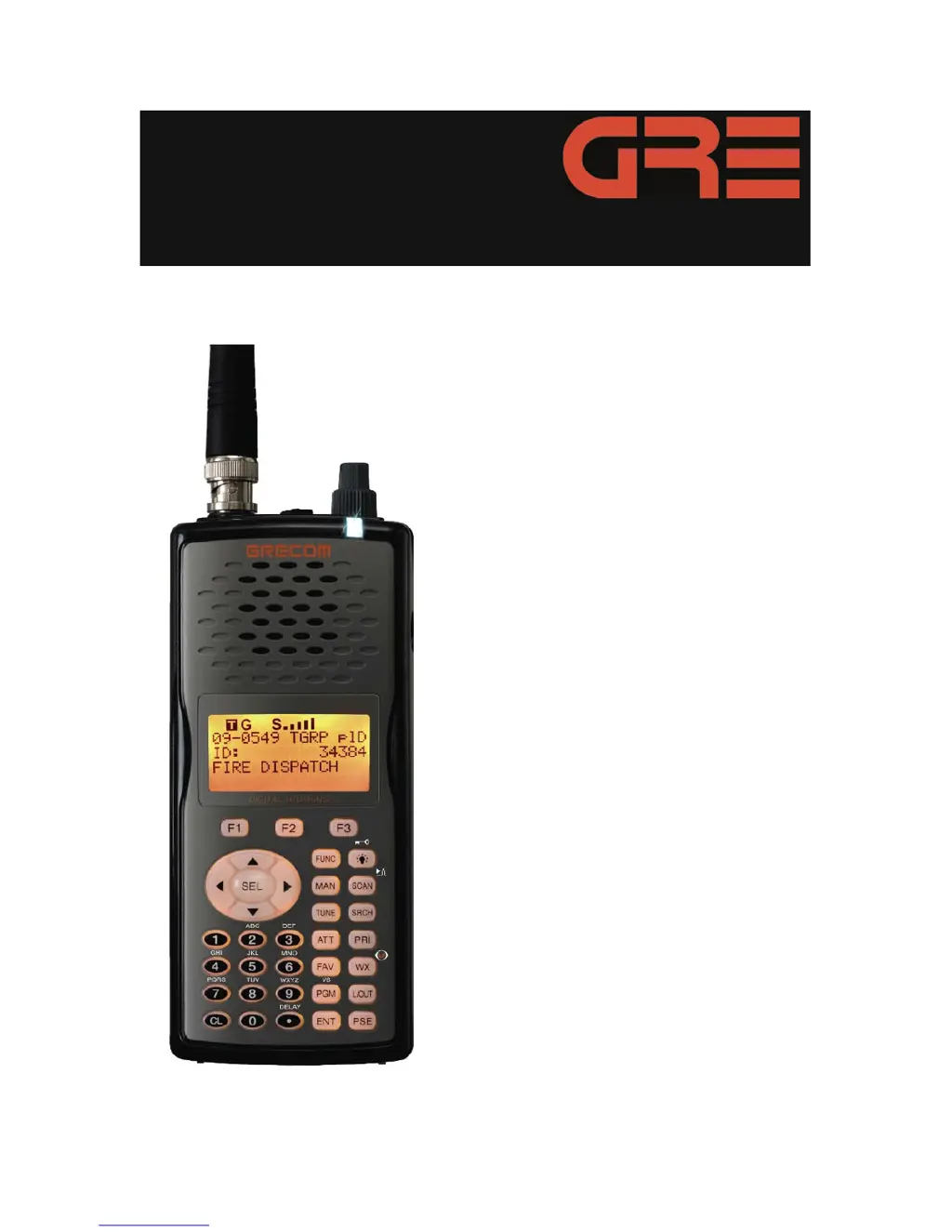
GRE PSR-500 - User Manual

GRE PSR-500
138 pages
Print Icon
To Next Page IconTo Next Page
Loading...
PSR-500
Ownerʼs Manual
ADVANCED DIGITAL HANDHELD SCANNING RECEIVER
WITH OBJECT ORIENTED USER INTERFACE
GRE America, Inc., 425 Harbor Blvd., Belmont, CA 94002
A Guide to Getting The Most From Your
PSR-500 Advanced Digital Scanner

Questions and Answers

Summary

Features

Upgradeable CPU and DSP Firmware

Information on keeping the radio's firmware current via free upgrades.

Intuitive Object Oriented User Interface Design

Design philosophy for ease of use and flexibility in scanner operation.

Powerful and flexible Scan List functionality

Ability to arrange, group, and scan objects based on user preference.

Flexible Free-Form Memory Organization

Sophisticated internal file management for storing over 1,800 objects efficiently.

GREs Exclusive V-Scanner Technology

Storing complete radio configurations for recall, offering 21 folders.

Multi-System Trunking

Scans common trunked radio system formats like Motorola, EDACS, LTR, P25.

GREs Exclusive Automatic Adaptive Digital Tracking

Adapts P25 digital decoder to signal changes for optimal reception.

LTR Home Repeater AutoMove

Simplifies LTR trunking programming by automatically finding home repeaters.

The Best Subaudible Squelch Decoder in the Scanning Industry

CTCSS and DCS decoding for reliable squelch with tail elimination.

Powerful Spectrum Sweeper

Sweeps frequencies for nearby signals and automatically tunes to active transmissions.

High Speed PC Interface

Fast data transfer and radio cloning via USB cable.

Overview of the Object Oriented User Interface

What is Object Oriented Scanning?

Explanation of the OOUI concept for scanners.

A Few Things To Remember about Object Oriented Scanning

Key principles and tenets of the OOUI design.

Getting Familiar With Your PSR-500

Understanding the Keypad

Details the function and layout of the PSR-500's keypad controls.

Getting Started

First Time Startup

Guidance for initial setup and getting the scanner operational.

Connecting an Optional External Antenna

How to connect external antennas for improved reception.

Creating Your First New Objects

Conventional Channel Object (CONV)

Defines a Conventional Channel Object for monitoring non-trunked radio channels.

Essential Conventional Channel parameters

Details the key parameters required to set up a CONV object.

Talkgroup Object (TGRP)

Defines a Trunking Talkgroup Object for monitoring trunked radio systems.

Essential Trunking Talkgroup parameters

Outlines the necessary parameters for configuring a TGRP object.

Setting up and using a Trunking System (TSYS) object

Explains how to create and use a TSYS object for trunked radio systems.

Using DUPE to speed up object entry

How to use the DUPE feature to duplicate objects for faster entry.

Basic Scanning Operation

Search Object Types

Limit Search Object (LMIT)

Defines a LMIT object for searching between frequency limits.

Spectrum Sweeper Object (SWPR)

Defines a SWPR object for sweeping frequency ranges for signals.

Service Search Object (SRVC)

Grouping Objects with Scan Lists

Object Lockout

Permanent Lockout

Locks out an object until explicitly unlocked, indicated by uppercase 'L'.

Using Multi-Site Mode On Networked Systems

Priority Scan

Audible Alarms and the ALERT LED

Dedicated search modes

Using dedicated Limit and Service search modes

Accessing dedicated Limit and Service search modes via the SRCH key.

SAME Standby Mode

Activating SAME Standby Mode

Using V-Scanner Storage

Saving Main Memory To A V-Scanner Folder

How to save current scanner configuration to a V-Scanner folder.

Loading A Stored V-Scanner Folder To Main Memory

How to load a saved configuration from a V-Scanner folder into main memory.

Cloning Your Radio to Another PSR-500 or PSR-600 Scanner

Troubleshooting

Troubleshooting Chart

Table listing problems, possible causes, and remedies for scanner issues.

Initializing Global Parameters to Factory Defaults

Initializing the Scanner to Factory Defaults

Detailed Menu Reference

GLOB Menu Reference

CONV Menu Reference

TGRP Menu Reference

TSYS Menu Reference

LMIT Menu Reference

SRVC Menu Reference

SWPR Menu Reference

GRE PSR-500 Specifications

General IconGeneral
TypeDigital Trunking Scanner
Modulation TypesAM, FM, FSK
Channel Capacity1000
Memory1, 000 channels
DisplayBacklit LCD
Power Supply4 x AA batteries or optional AC adapter
Audio OutputBuilt-in Speaker, Headphone Jack
PC ConnectivityUSB
Frequency Range25-1300 MHz

Related product manuals