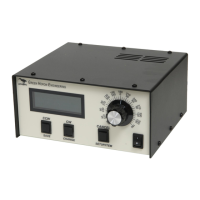
Create ERC5x
Use the RT-21 Manual Appendix A.5 for Connections and Setups for both RC5 and
ERC5 rotators.
Elevation ERC5 CALIBRATION PROCEDURE
1. Turn the rotor to horizon 0 degrees elevation with the CCW (Down) button watching the
antenna, not the display
2.
Press the CANCEL and CCW (DOWN) together and hold 2 seconds until the display reads “CAL
CCW = xxx” where xxx should be a number < 50. (It may be helpful to press the CANCEL
“slightly” ahead of the CCW button.)
3.
Turn the rotor using the CW (Up) button until the antenna is physically pointed straight up,
watching the antenna, not the display.
4.
Press the CANCEL and CW (Up) together and hold 2 seconds until the display reads “CAL CW =
xxx” where xxx should be a number > 800. (It may be helpful to press the CANCEL “slightly”
ahead of the CCW button.)
NOTE: You may also use the SETUP Utility instead of the front panel. It’s much
easier to see and set the calibration points with the computer method.
NOTE: The ERC allows about 100 degrees of rotation. You may allow rotation
beyond 90 degrees only if you change the CW limit above the default of 90.


 To Next Page
 Loading...