7
STORAGE
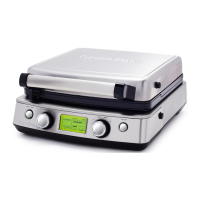
Be sure the plates are completely dry before storing or reinserting into the base unit. Always store
the base unit with one set of plates attached. One additional set of plates can be stored underneath
the unit using the plate storage feature. To store 1 set of plates pull out the rack on underside of unit
toward you.
BEFORE RETURNING YOUR GREENPAN
PRODUCT
If you are experiencing problems with your GreenPan Waffle Maker, we suggest that you call
GreenPan customer service at 914-372-7777 before returning the product. A representative can
confirm whether the product is under warranty and advise on next steps.
IMPORTANT: If the defective product is to be serviced by someone other than GreenPan’s
authorized service, please tell the servicer to call our consumer service at 914-372-7777 to ensure
that the problem is properly diagnosed, the product is serviced with the correct parts, and the
product is still under warranty.
TROUBLESHOOTING
Issue Cause Solution
Display is blank If Waffle Maker is plugged in, unit
may be in sleep mode.
Check the connection to the wall outlet. Press any button to
wake up. If problem persists, try finding a different outlet.
Timer does not begin
to count down when
batter is added
The auto-start function may not
detect small amounts of batter,
such as when only a partial waffle
plate is being used.
We recommend to only make whole waffle plates, or to use
the manual Start/Stop button to begin the cooking cycle.
Waffles are sticking to
the plates
Plates are dirty or cooking time
may not be long enough.
Increase cooking time to prevent under-done waffles. Add a
light coating of oil to the plates before the first waffle.
Waffles are burning Cooking time is too long. Decrease the shade/time settings.
E1: Internal Issue Contact Customer Service for replacement
E2: Internal Issue Contact Customer Service for replacement
Appliance does not
reach shade desired
Poor connection between plates or
need for change in settings.
Check if the heating plate is installed correctly. Check for any
debris or oil affecting the connection to the plates.
Try changing shade and crunch level on product if desired
shade is not being reached.
If issue persists please contact customer service
Appliance heats up
but LCD display does
not come on after
pressing start
Internal Issue Contact Customer Service for replacement
LCD display comes on
but appliance does not
heat up
Internal Issue Contact Customer Service for replacement
Appliance slow to
heat up
Poor connection between plates
and unit.
Check if the heating plate is installed correctly, check for any
debris or oil affecting the connection to the plates.
Install the heating plate according to C&U instruction
Small scratch mark or
dent mark appear on
cooking surface
N/A Chipping is a natural occurrence with Ceramic Non-stick due
to the fact that is very hard. If the chip is more than 5mm,
please contact customer service.
Large Scratch mark or
dent mark appear on
cooking surface
Normal Use Contact Customer Service
Heating plate cannot
fix on the product
• The hook on appliance is bent
• The hook on heating plate
is bent
• The heating plate not install at
the right position
• Try to adjust the hook on appliance
• Try to adjust the hook on heating plate
• Install the heating plate according to C&U instruction
• If issue persists contact customer service


 To Next Page
 Loading...