The Greenlite Airz™ Smart Thermostat is designed to make your home energy efficient and comfortable. This installation manual provides comprehensive guidance for setting up and wiring the thermostat, covering various system configurations and network connectivity.
Function Description:
The Greenlite Airz™ Smart Thermostat is a device that controls your home's heating and cooling systems. It allows you to manage your home's temperature for energy efficiency and comfort. The thermostat can be controlled via a mobile app, enabling remote access and management. It automatically scans terminal pins to determine the HVAC system type and guides the user through the setup process. The device supports various HVAC system types, including conventional (furnace), heat pump, electric furnace, gas furnace, boiler, air conditioning only, and systems utilizing a P-Wire for heat or cool.
Important Technical Specifications:
- Power Requirements: The thermostat can be installed with or without a C-Wire. For installations without a C-Wire, a Power Wire (included) or a Power Bridge (available at greenliteusa.com) is used.
- System Compatibility:
- Conventional 1H/1C (Y, G, W, R)
- Conventional 2H/1C (Y, G, W1, W2, R)
- Heat Pump Single-Stage (Y, G, R, O/B, C)
- Heat Pump with auxiliary heat or dual fuel (Y, G, R, O/B, W, C)
- Not compatible with 120-240VAC or High Voltage systems.
- Wireless Connectivity: Supports 2.4GHz WiFi networks. Not compatible with 5GHz WiFi networks. Security settings should be open or WPA2.
- App Compatibility: Requires the Greenlite Thermostat App, available on the App Store (for iOS 8.0 or later) and Google Play.
- Dimensions: The manual does not specify physical dimensions, but diagrams show a compact, wall-mounted unit with a digital display and control buttons.
- Electrical Connections: Uses standard thermostat wiring terminals (C, W1, W2, G, Y1, RC, RH, O/B).
- Safety Features: Includes warnings against installing with high voltage systems and instructions to turn off power at the circuit breaker before wiring.
Usage Features:
- Mobile App Control: Download the free Greenlite Thermostat App to your mobile device to create an account and control the thermostat remotely.
- System Type Selection: After powering up, the thermostat auto-scans terminal pins to determine the HVAC system type. If multiple options are possible, users can cycle through system options using Up and Down arrows and confirm with the center button.
- Network Connectivity: The thermostat guides users through connecting to a wireless network. This involves scanning for WiFi networks, connecting to the Greenlite Airz™ WiFi network (details on the back of the device or a label on the box), and then selecting the home WiFi network from the Greenlite app.
- Intuitive Interface: The device features a digital display showing temperature and system status, along with physical buttons for navigation and selection.
- Flexible Installation: Offers multiple installation methods to accommodate different home wiring setups:
- With a C-Wire: Standard installation for systems with a common wire.
- Without a C-Wire (using Power Wire): For systems lacking a C-Wire, an included Power Wire is used to provide continuous power. This involves re-routing the G wire at the furnace to the transformer and connecting the Power Wire to the now-empty fan terminal and the cool terminal.
- Without a C-Wire (using Power Bridge): An optional Power Bridge can be installed at the furnace for systems without a C-Wire, simplifying wiring at the thermostat.
- System Configuration Options:
- Electric Furnace: Electric system with fan, thermostat calls for fan to run with heat.
- Gas Furnace: Gas system with fan, thermostat calls for fan to run with heat.
- Air Conditioning Only: Cooling only, thermostat calls for fan to run with cool.
- Boiler: Boiler heating system with no fan connected.
- Heat Pump: Heat pump system, thermostat calls for fan to run with heat or cool. Users may need to select between O & B Valves.
- Heat With P-Wire: Furnace heat system utilizing the P-Wire.
- Cool With P-Wire: Air conditioning system utilizing the P-Wire.
- Fan Operation (P-Wire): When using the Power Wire, the fan will only run when the device calls for heat or cool; continuous fan operation or internal air quality mode is not available.
- Error Handling: Provides instructions for troubleshooting power-up issues and offers technical support contact information.
Maintenance Features:
- Wiring Diagrams: The manual includes detailed wiring diagrams for various system configurations (Conventional with C-Wire, Heat Pump with C-Wire, Conventional without C-Wire (BEFORE and AFTER Power Wire), and Power Bridge Wiring Diagram) to aid in correct installation and troubleshooting.
- Troubleshooting Support: Users are advised to contact Greenlite Technical Support for complex installation issues or if the system does not power up after installation.
- FCC and Industry Canada Compliance: The device complies with FCC Part 15C and Industry Canada licence-exempt RSS(s), ensuring it meets regulatory standards for radio frequency emissions and interference. Users are provided with guidelines for resolving potential interference issues.
- Software License Agreement: Includes a license agreement for the embedded software, outlining terms and conditions.
- WiFi Information: WiFi network name and password are provided on the back of the device and on a label on the box, which is helpful for reconnecting or setting up the device.

 Need help?
 General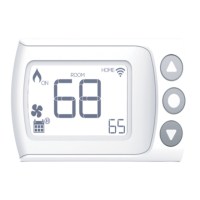

 To Next Page