4.5 SPEAKER FUNCTION
With this product, you can enjoy music through your
Bluetooth-enabled phone.
1. Turn on the product.
2. Turn on the Bluetooth function on your phone.
3. Choose device GW-60MBL520-****** to pair.
4. Use your phone to control the volume.
4.6 STOP THE PRODUCT
1. Gradually release the throttle and firmly squeeze the
front and rear brake levers to stop the product.
Note: When coming to a complete stop, place both feet
on the ground to balance the product.
2. Press the direction control switch to "N" position.
3. Push the power button to turn off the product.
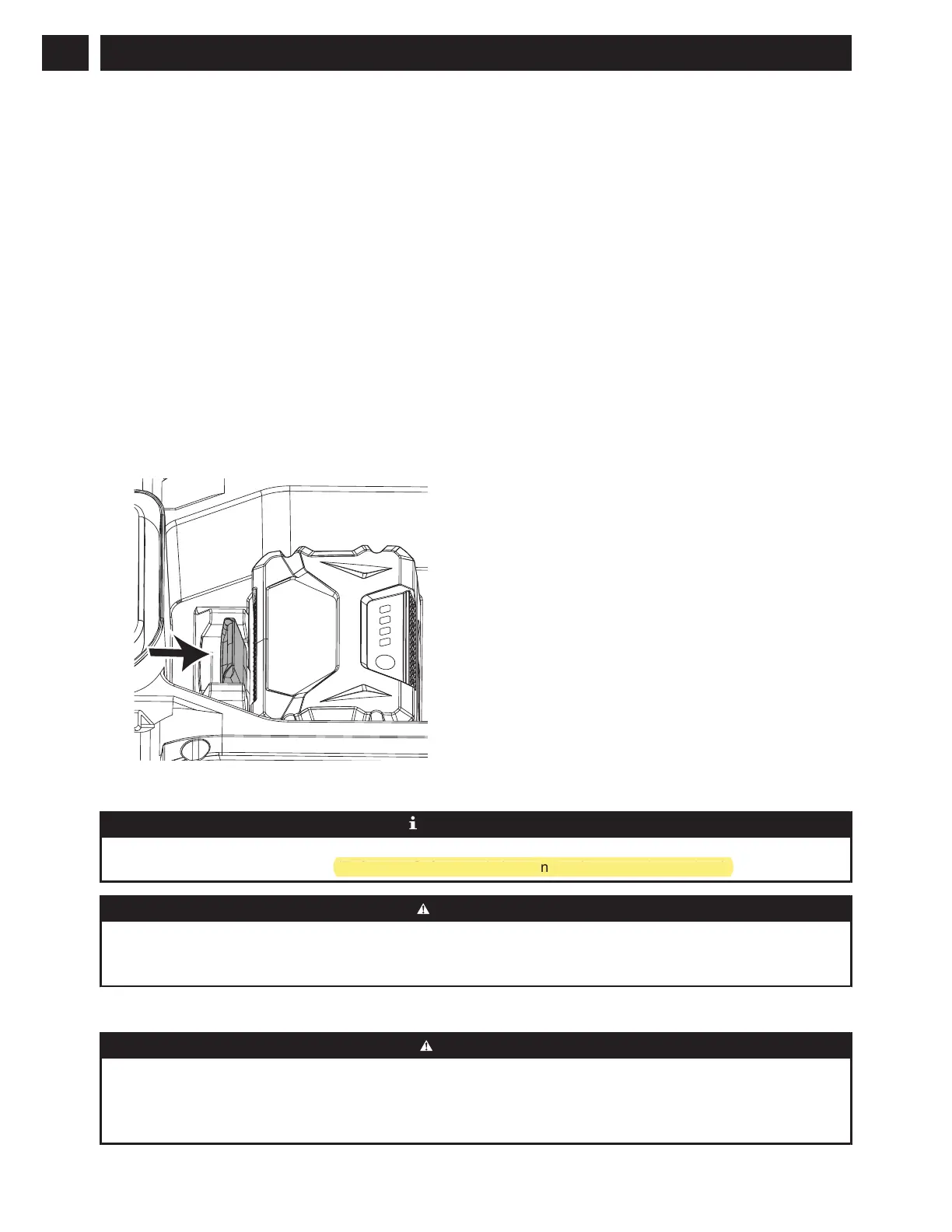
4. Push the battery release button and pull out the
battery.
5 SMARTG HOME APPLICATION
SMARTg Home is a free mobile application that
provides additional features for your Greenworks
product. These features include extended information
about products, product parts and servicing.
5.1 SETUP
Note: Always set up first before riding.
1. Download the SMARTg Home app on your mobile
device.
2. Register in the SMARTg Home app.
3. Follow the instructions in the SMARTg Home app to
connect and register the product.
Note: Ensure that your phone's Bluetooth function is
always on.
6 MAINTENANCE
IMPORTANT
Carefully read and understand the safety regulations and the maintenance instructions before you clean, repair, or
do any maintenance on the product (Reference Safety regulations and maintenance instructions).
WARNING
• Remove battery or batteries from the product before you do any maintenance.
• Failure to follow proper maintenance service, using third-party replacement parts, or modifying/removing
components can result in injury to the user.
6.1 CLEAN THE PRODUCT
CAUTION
• Keep water away from battery compartment while washing to avoid damaging the electrical components.
• DO NOT clean with alcohol, gasoline, acetone, or other corrosive/volatile solvents. These substances may
damage the external and internal structure of your product.
• DO NOT rub with sandpaper or metal brush.
12
English
EN
(Reference Safety regulations a
d maintenance instructions
.



 To Next Page
 Loading...