16
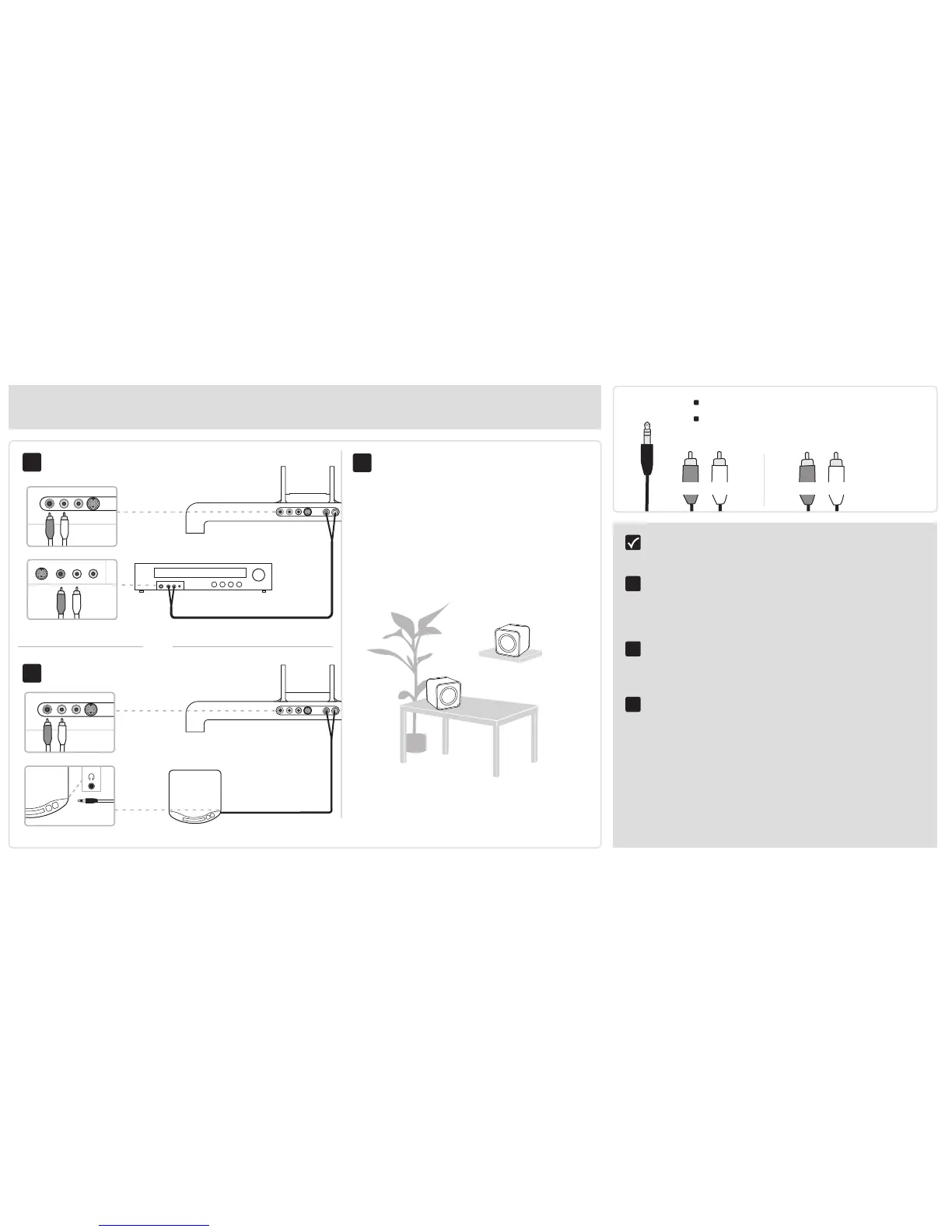
Add a CD player or other audio device
You’ll need: Stereo mini-to-RCA “Y” Cable
- OR -Right (Red) and Left (White)
RCA Audio Cable
Complete the basic Evolve Set-up.
(pages 6-8)
Connect Evolve’s Audio In Right and Left to
your device’s Audio Out Right and Left jacks.
- OR -
Connect Evolve’s Audio In Right and Left
to your device’s 1/8" (3.5mm) stereo mini
headphone jack.
Place your speakers for ideal listening.
1
2
3


 To Next Page