
 Need help?
Do you have a question about the GRIPGEAR DIRECTORS SET and is the answer not in the manual?
Install the Ball Joint onto the Movie Maker 2.
Fasten the screw and rotate the swivel to lock the Ball Joint.
Install the Phone Mount if using a smartphone.
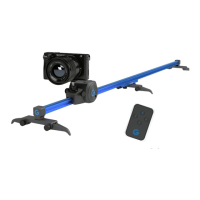
Attach the track to the leg attachments.
Slide the aluminium middle joint onto the track.
Unlock and slide the Movie Maker 2 onto the track.
Slide the second track onto the metal mid joint.
Install the 360 panorama mount onto the Movie Maker.
Screw the ball joint and phone mount onto the panorama mount.
Place the Movie Maker into the Micro Dolly cradle base.
Attach the MD 360 Mount to the blue clover pin.
Screw and fasten the power wheel onto the unit.
Place the Power Wheel into the Micro Dolly cradle base for storage.
Rotate the wheel to lock it into place for secure storage.
Store the unit together with the MD 360 Mount for compact storage.
 General
| Brand | GRIPGEAR |
|---|---|
| Model | DIRECTORS SET |
| Category | Professional Video Accessories |
| Language | English |

 To Next Page