EasyManua.ls Logo

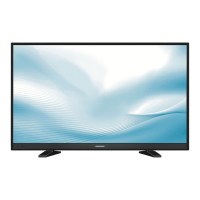
Grundig 22 VLE 4520 BF - User Manual

Grundig 22 VLE 4520 BF
55 pages
Print Icon
To Next Page IconTo Next Page
Loading...
EN
22 VLE 4520 BF

Table of Contents

Other manuals for Grundig 22 VLE 4520 BF

Questions and Answers

  • A
    Amanda HessAug 14, 2025
    Why is my Grundig 22 VLE 4520 BF showing a picture but no sound?
    • T
      Tommy WrightAug 14, 2025
      If your Grundig TV shows a picture but there is no sound, the volume might be set to the minimum. Try turning up the volume or switching it on.
  • L
    Lisa RogersAug 17, 2025
    What to do if the Grundig 22 VLE 4520 BF TV remote control does not work?
    • T
      Tiffany PayneAug 17, 2025
      If the remote control for your Grundig TV isn't working, make sure there's no obstacle between the remote and the TV. Point the remote control directly at the television. Also, check the batteries and replace them if needed. As a last resort, switch off the television at the mains switch for two minutes.
  • M
    Michael RoyAug 21, 2025
    How to fix insufficient contrast on Grundig 22 VLE 4520 BF?
    • K
      kevinbarkerAug 21, 2025
      If you're experiencing insufficient contrast on your Grundig TV, the picture settings might not be correct. Adjust the brightness, contrast, or color settings to improve the picture quality. Alternatively, the problem may be at the station, so try another channel.
  • C
    chrislaraAug 25, 2025
    How to fix Grundig TV with screen lit but no station visible?
    • K
      Kimberly DaltonAug 25, 2025
      If your Grundig TV screen is lit with snow but no station is visible, check if the antenna cable is properly connected. If it is, try starting a channel scan, as no TV channel may be tuned.
  • J
    Jonathan Maldonado Jr.Aug 27, 2025
    Why is there no color on my Grundig TV?
    • L
      Lindsay BishopAug 27, 2025
      If there's no color on your Grundig TV, the color intensity might be too low. Try turning up the color. If available, select the correct color standard in the TV settings. As an alternative, the problem might be at the station, so try a different channel.
  • S
    samantha24Aug 30, 2025
    What causes ghosting reflection on Grundig 22 VLE 4520 BF?
    • J
      Jonathan BirdAug 31, 2025
      Ghosting or reflection on your Grundig TV can be due to the channel setting. Try automatic or manual tuning/fine tuning. It could also be an antenna issue, so have the antenna cable or system checked.
  • B
    Barbara FisherSep 3, 2025
    What to do if Grundig 22 VLE 4520 BF TV picture and sound are distorted?
    • A
      Alexander FlowersSep 3, 2025
      If the picture and/or sound on your Grundig TV are distorted, it might be due to interference from other devices. Try placing the device in a different position.
  • V
    vvasquezSep 6, 2025
    Why is teletext impaired or absent on my Grundig 22 VLE 4520 BF?
    • A
      Ashley RobertsSep 6, 2025
      If teletext is impaired or absent on your Grundig TV, the problem might be at the station, so try a different channel. It could also be due to the television channel itself (if it doesn't offer teletext) or the antenna system. Try a different TV channel and carry out fine tuning. Another possible cause is a weak station signal, so check the antenna.
  • K
    Kristina HowardSep 10, 2025
    How to fix a Grundig TV picture that is too dark in PC mode?
    • C
      contrerasjeanSep 10, 2025
      If the picture is too dark in PC mode on your Grundig TV, it's likely due to an incorrect setting for picture resolution and picture frequency on the PC. Change the settings on the PC (e.g., to 1280 x 768 resolution with a refresh rate of 60 Hz).

Summary

Setup and Safety

General Information

Connection and Preparation

Connecting the antenna and the power adapter

Guide on connecting the TV to the antenna and power source.

Overview

The remote control - Main functions

Settings

Initial set-up and tuning television channels

Guide to the first-time setup process and automatic channel scanning.

Selecting language, country and operating mode

How to configure essential settings like language, country, and operation mode.

Tuning terrestrial television channels (DVB-T)

Tuning television channels from the cable provider (DVB-C)

Picture settings

Sound settings

Television - Operation

Basic functions

Fundamental operations like switching on/off and channel selection.

Picture settings

Accessing and adjusting various picture display parameters.

Changing the picture format

USB Operation

File formats

Supported video, audio, and image file formats for USB playback.

Connecting external data media

Removing the external data media

The file browser

Basic playback functions

Teletext Operation

TOP text or FLOF text mode

Accessing and navigating teletext pages in top or FLOF mode.

Convenience Functions

Opening the SETTINGS menu

How to access the main settings menu on the television.

Setting the date and time

Timer functions

Parental control settings

Authorising programmes

Setting access levels to restrict viewing of age-inappropriate content.

Locking menus

Preventing unauthorized access to specific TV menu functions via PIN.

Locking television channels

Updating software

Restoring the television to the default settings

Operation Using External Devices

DIGI LINK

Overview of the DIGI LINK (CEC) protocol for controlling connected devices.

The DIGI LINK functions on your television

Explains how DIGI LINK features operate on the TV.

Searching for and activating external devices

Procedure to detect and configure DIGI LINK compatible devices.

High definition HD ready

Connection options

Connecting external devices

Using a DVD player, DVD recorder, video recorder or set-top box

Hi-fi system;AV receiver

Connecting the hi-fi system;AV receiver

Connecting audio systems via optical or line-out ports.

Operation as a PC Monitor

Connecting a PC

Steps to connect a computer to the TV for use as a monitor.

Settings for PC mode

Fine-tuning picture and display parameters when connected to a PC.

Operation with a Common Interface

Special Settings

Searching for television channels from the cable provider automatically

Guide for automatically scanning and tuning cable TV channels.

Searching for television channels from the cable provider manually

Searching for digital terrestrial TV channels automatically

Searching for digital terrestrial TV channels manually

Tuning analogue television channels

Setting all analogue television channels

Displaying signal information

Information

Troubleshooting

Grundig 22 VLE 4520 BF Specifications

General IconGeneral
Screen shapeFlat
Response time6 ms
Display diagonal22 \
Display brightness- cd/m²
Native aspect ratio16:9
LED backlighting typeDirect-LED
Supported video modes1080i, 1080p, 576p, 720p
Screen format adjustments4:3, 16:9
Supported graphics resolutions1920 x 1080 (HD 1080)
Motion interpolation technologyPPR (Picture Perfection Rate) 100 Hz
3DNo
Video formats supportedAVC, H.264, MPEG4
Tuner typeAnalog & digital
Analog signal format systemNTSC, NTSC 3.58, NTSC 4.43, PAL, PAL BG, PAL DK, PAL L, SECAM
Digital signal format systemDVB-C, DVB-T
Audio systemNicam
Audio decodersDolby Digital, DTS, DTS Studio Sound, DTS TruSurround
RMS rated power12 W
Number of speakers2
Equalizer bands quantity5
DVI-D ports quantity0
Common interface (CI)-
USB 2.0 ports quantityUSB 2.0 ports have a data transmission speed of 480 Mbps, and are backwards compatible with USB 1.1 ports. You can connect all kinds of peripheral devices to them.
Number of OSD languages24
Product colorBlack
Panel mounting interface75 x 75 mm
Power consumption (standby)0.5 W
Power consumption (typical)22 W
Weight and Dimensions IconWeight and Dimensions
Depth (with stand)155 mm
Height (with stand)364 mm
Depth (without stand)38.5 mm
Width (without stand)515 mm
Height (without stand)335 mm
Weight (without stand)3000 g

Related product manuals